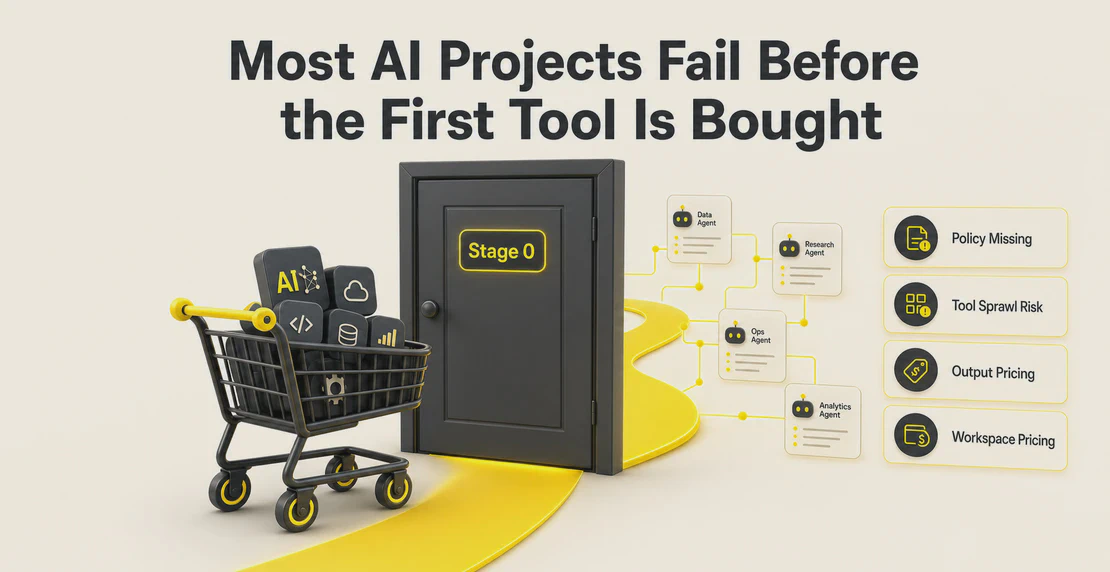
Most conversations about AI adoption focus on the wrong question. Teams spend time debating which model to use when the more useful question is: what should the agent actually do?
A general-purpose chatbot answers questions. An agent with a specific skill set does work. That distinction matters when you’re trying to take tasks off your team’s plate rather than just get faster answers.
In Autohive, a skill is a reusable set of instructions that teaches an agent how to complete a specific task. Write it once and every agent in your workspace can use it. Skills follow the open Agent Skills standard, so they’re not locked to a proprietary format, and they can bundle supporting files, scripts, and integration actions alongside the instructions. If you’re just getting started, read Building AI Skills Shouldn’t Require an Engineer and How Autohive Skills Create Consistent AI Output first. They explain why skills matter and how they keep agent output consistent across a team.
Gartner predicts 40% of enterprise apps will feature task-specific AI agents by 2026, up from less than 5% in 2025. IBM reports executives expect an 8x surge in AI-enabled workflows. Companies spent $37 billion on enterprise generative AI in 2025, more than triple what they spent in 2024.
The pattern in that data holds up: the organizations moving fastest are deploying AI for specific, repeatable tasks, not general assistance.
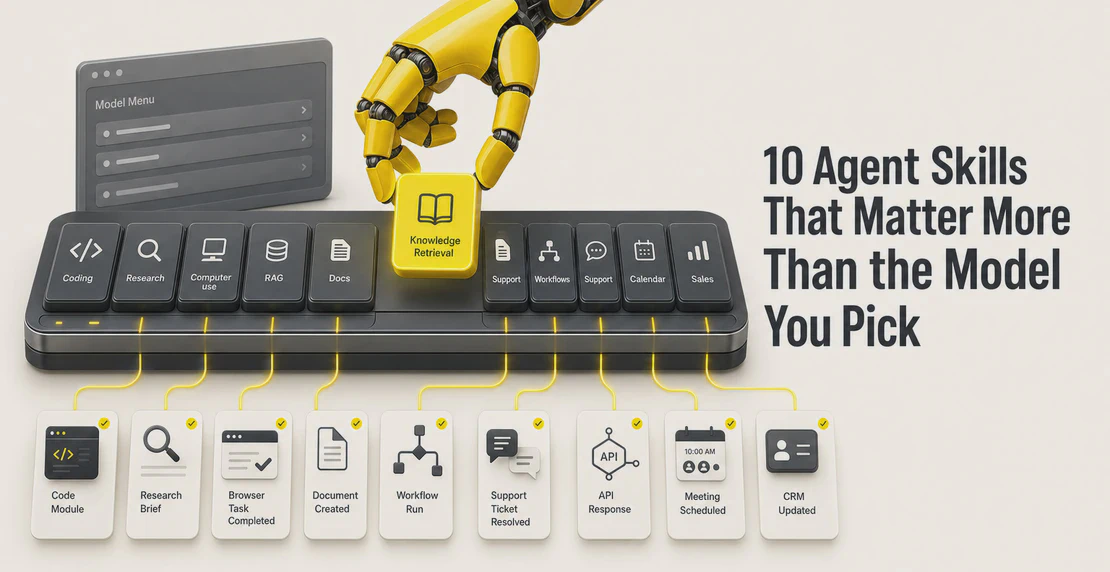
Below are the ten skills showing up most consistently across those workflows, what they do, and why they’re worth building.
1. Code generation and agentic coding
Coding is the largest departmental AI use case, accounting for $4 billion of enterprise AI spend in 2025. That number makes sense once you see what’s actually happening: agents that write, review, test, and commit code are handling the work of a junior developer across dozens of tasks at once.
A code generation skill covers more than autocomplete. It reads a GitHub issue, writes a fix, opens a pull request, and flags the result for review. Paired with Autohive’s GitHub integration, an agent with this skill can monitor repos, respond to issues, and handle routine code tasks without a human in the loop for each one.
For non-engineering teams, the same skill shows up differently: an agent that writes SQL queries from plain English, or one that generates and runs data transformation scripts without anyone opening a terminal.
2. Web search and research
Manual research is slow and inconsistent. A person searching for competitive intelligence, market data, or background on a prospect spends time that compounds across a team. An agent with a web search skill, built on an integration like Perplexity, handles it in seconds, every time, to the same standard.
The practical applications are wide. Sales teams use research agents to pull account background before calls. Operations teams use them to monitor competitor pricing or track news. Content teams use them to gather sources for briefs. In each case, the skill is the same: search, evaluate, extract, and summarize. Autohive’s integrations cover other ways to bring search capability into an agent, depending on what a team already relies on.
What makes this a skill rather than a one-off prompt is repeatability. When the instructions, sources, and output format are defined once, every agent using the skill produces the same quality of research every time.
3. Browser automation and computer use
Browser-use, a Python library for controlling browsers with AI, became one of the fastest-growing open-source repositories in its category. The demand behind it is straightforward: a large share of business work happens in web interfaces with no API.
AI browser automation agents can fill forms, extract data from websites, navigate multi-step workflows, and interact with software that was never built for automation. Tasks that used to need a person at a screen, like pulling data from a portal, submitting reports to a government system, or monitoring competitor product listings, become agent-executable.
This is one of the higher-complexity skills to implement well. For the right workflows, it replaces hours of repetitive manual work.
4. RAG and knowledge retrieval
Retrieval-augmented generation (RAG) is how you give an agent memory of your business. Without it, an agent knows only what’s in its training data. With it, an agent can search your internal knowledge base, documentation, contracts, or product specs, and give answers grounded in that material.
The classic use case is internal knowledge: an agent that answers employee questions about HR policies, or a support agent that responds to customers using your actual product documentation. Managing your content covers how to connect agents to your internal content so answers stay accurate and current.
The skill matters because it’s the difference between an agent that sounds plausible and one that’s actually right.
5. Document processing and extraction
Every business runs on documents: invoices, contracts, reports, applications, compliance filings. Processing them manually is expensive and error-prone. A document processing skill teaches an agent to read a PDF, extract specific fields, validate the data, and route it somewhere useful.
The applications are broad. An agent with this skill can extract line items from invoices and push them to accounting software. It can read contracts and flag non-standard clauses. It can process job applications and rank candidates against criteria. It can handle the intake of any structured or semi-structured document without a human touching each one.
In Autohive, skills can bundle Python scripts for document parsing alongside their instructions, so the extraction logic and the reasoning instructions travel together and stay available to any agent in the workspace. Managing your content covers how to get documents into an agent in the first place.
6. Workflow orchestration
Workflow orchestration is where Autohive starts to feel less like a chat tool and more like an operating layer for work. Skills give agents reusable capabilities. Workflows decide when those capabilities run, what data moves between steps, and where a human needs to approve, review, or redirect the process.
An agent with orchestration capability can trigger other agents, pass data between systems, route exceptions to humans, and manage multi-step operations across tools. Instead of one agent doing one task in isolation, you get a coordinated process with logic built in, the same pattern behind multi-agent workflows and automated jobs that run on a schedule without anyone kicking them off by hand.
For teams building in Autohive, the workflow guide covers how to structure these connected processes. A well-built orchestration skill defines the trigger, the sequence, the branching logic, and the human checkpoints. That is the difference between an agent that can help with a task and an agent that can run part of the business process.
7. Customer support automation
Zapier’s data from 3 million+ business users puts customer success management among the most common AI automation use cases. The reason is volume: support teams handle the same questions repeatedly, and agents handle repetitive volume well.
A customer support skill teaches an agent the difference between questions it can answer on its own and situations that need a person. It connects the agent to relevant knowledge bases, CRM data, and ticketing systems, and defines how to handle escalation. Paired with Autohive’s Freshdesk integration, an agent can read, respond to, and close tickets without manual handling on every one.
Support teams still manage escalations and complex cases. The agent handles the questions it can answer, which in most teams is a significant share of daily volume, and that frees people for the work that actually needs them.
Model Context Protocol (MCP) is becoming a standard for how agents connect to external tools, APIs, files, databases, and services. The NSA has issued MCP security guidance. Adoption is moving fast enough that MCP fluency is worth treating as a baseline expectation for any serious agent deployment.
A tool calling skill defines what external tools an agent can access and how to use them. In practice, this is what lets an agent query a database, push a record to a CRM, send a Slack message, or call any of the 60+ integrations available in Autohive, without a developer writing custom connector code for each workflow.
The Autohive integrations overview covers what’s available out of the box. For more complex or proprietary APIs, the skill’s instructions define the authentication pattern and call structure, and the agent handles execution.
9. Email, calendar, and meeting automation
Email and calendar are where most knowledge workers spend a meaningful chunk of their day. An agent with the right skill can draft replies, schedule meetings, send follow-ups, parse inbound requests, and manage the logistics that currently need constant attention.
The specific applications depend on the role. For sales, it might mean automated follow-up sequences triggered by CRM events. For operations, it might mean scheduling coordination across time zones without back-and-forth. For executives, it might mean an agent that processes inbound meeting requests and drafts a response with suggested times.
Autohive connects to Gmail, Google Calendar, and Microsoft 365. The Fathom integration brings meeting notes and action items into the same workflow. A well-built skill in this area reduces the communication overhead that doesn’t need a person making decisions on each exchange.
10. CRM and sales automation
CRM data is only useful if it’s current, and keeping it current is work no sales rep wants to do. An agent with a CRM skill can update records after calls, log activity, create and assign tasks, track pipeline movement, and flag deals that have gone quiet.
The downstream effect is that sales managers get accurate pipeline data without chasing their teams, reps spend more time selling, and the operations that run on CRM data, including forecasting, reporting, and compensation, become more reliable.
Autohive connects to HubSpot, Pipedrive, Zoho CRM, and Gong, so CRM automation agents can pull from call recordings, push to deal records, and keep the system of record accurate without manual entry after every interaction.
Where to start
Each skill on this list represents a category of repeatable work. The underlying logic is the same in every case: define the task clearly, give the agent the tools it needs to complete it, and deploy that capability wherever it’s needed.
In Autohive, that means writing a skill once and making it available across every agent in the workspace. Update the skill and every agent using it picks up the change immediately. The Agent Skills standard keeps those skills off any single platform, and the architecture means the best ones can be shared or reused across teams.
If you’re working out where to begin, pick the category where your team spends the most time on work that follows a consistent pattern. That’s usually the clearest signal for where a skill will produce the fastest return. When you’re ready to build one, creating a custom agent walks through the process end to end.


Jono Nourse