Jono Nourse
- 19 Aug, 2026
The Approval Bottleneck That's Quietly Killing Your AI Agent ROI
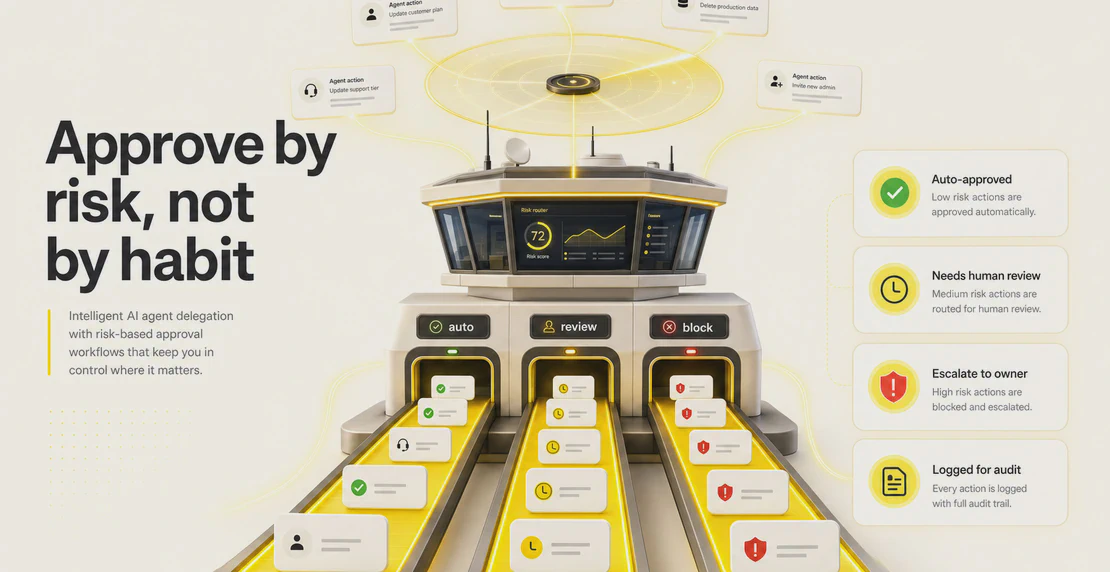
Match each AI agent action to a level of oversight based on its risk and reversibility, and delegation moves fast without losing control.
Read article
Jono Nourse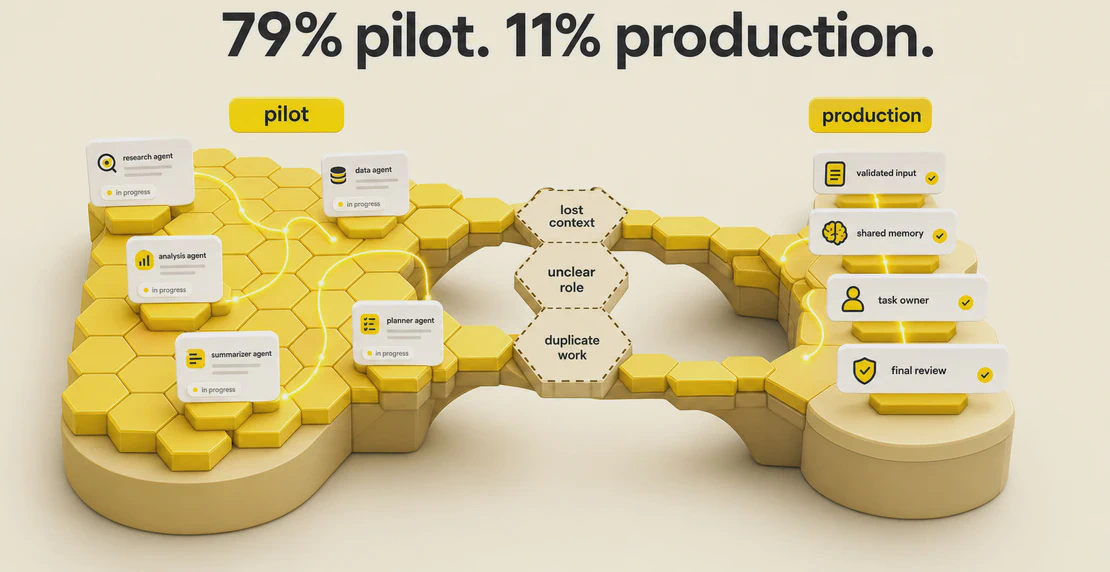
Most teams can get a single AI agent doing something useful fairly quickly. Point it at a task, give it clear instructions, and it runs. The trouble starts when you want two or three agents to split the work between them. One agent finishes its part, passes it along, and the next agent has no idea what it’s looking at. Work gets duplicated. Context goes missing. Outputs contradict each other.
That gap matters, because it’s where most multi-agent projects stall. Plenty of companies have run a pilot with agents. Far fewer have them running in production. Enterprise AI deployment data from 2026 shows how wide the gap is: 79% of companies have adopted agents in some form, but only 11% have them in production. The difference usually comes down to coordination, not the models themselves.
This guide covers the practical side of getting multiple AI agents to work together: how they hand off tasks, share context, and stay out of each other’s way.
A single agent handles contained work fine. Answer a question, draft an email, pull a number from a spreadsheet. Multiple agents earn their keep once the task is big enough to split between specialists, like research, analysis, or a workflow with several distinct stages.
Anthropic put numbers behind this. Their multi-agent research system beat a single-agent setup on internal evaluations, and running subagents in parallel cut execution time on some research tasks by up to 90%. The pattern held because the work divided cleanly: one lead agent broke the question into parts, several workers chased those parts at the same time, and the lead pulled the findings back together.
The catch sits in that word “cleanly.” Multiple agents pay off when the work has natural seams. If the subtasks are tangled together and depend on each other in messy ways, adding agents just adds coordination overhead, and you’d have been better off with one.
When a multi-agent system fails, the model is rarely the problem. The coordination is. Research from Galileo’s study of multi-agent system failures and Augment Code’s analysis of LLM coordination breakdowns points to the same set of recurring failures:
Handoffs need care. When an agent hands off a loose paragraph of text instead of something structured, the receiving agent has to interpret it, and interpretation is where errors creep in. The same goes for context. Pass too much and you dilute the instructions and drive up cost. Pass too little and the next agent is missing what it needs. Getting that balance right is most of the job.
There are a handful of well-worn ways to arrange agents. Microsoft’s AI agent orchestration design patterns and the wider ecosystem describe roughly these six. Choose the one that matches the shape of your work rather than stacking agents and hoping.
Most real setups start with the first three. If you’re not sure, sequential is the easiest to reason about and debug. A comparison of AI agent orchestration frameworks is worth reading alongside this if you’re deciding which tools to use.
Teams who get this working in production tend to follow a similar set of habits.
Give every agent a narrow role, including what it must not do. A support agent that also tries to write marketing copy will eventually cause a mess. Spell out the boundaries. Our guide on building a custom agent walks through writing instructions and constraints that hold up.
Structure your handoffs. Instead of free text, pass a brief, a filled-in template, a JSON object, a checklist, or a defined output schema. When the receiving agent knows exactly what fields to expect, there’s nothing to misread. Open standards like Google’s Agent-to-Agent (A2A) protocol are making structured, cross-platform handoffs easier to build.
Keep one shared source of truth. Rather than dumping the same giant block of context into every agent, point them all at a common reference they can pull from. In Autohive that’s the Content area, covered in Managing Your Content.
Validate before handing off. Check an agent’s output before it moves downstream. A maker-checker pattern does this automatically, but even a simple validation step catches problems before they compound.
Start with two agents and one handoff. Get a single clean handoff working end to end before you add a third agent or a fourth. Complexity grows fast, and it’s much easier to find the break when there’s only one seam to inspect.
Add observability and approval gates for anything in production. Logs, correlation IDs so you can trace a task across agents, and a human sign-off at the points that matter. Notifications can flag approval requests and alert you when a workflow or job finishes, so nobody has to sit there watching a screen. You want to be able to answer “what did each agent actually do” after the fact.
Match the model to the task. Use smaller, cheaper models for routine steps like classification or formatting, and save the stronger models for planning, synthesis, and reasoning.
In Autohive you set the model per agent, so you can pair a lightweight option with something like Claude, GPT-4o, Gemini, or Grok depending on what the step calls for. Creating your first agent covers how that choice works when you set one up. There’s no reason to pay for a frontier model to sort inbound tickets.
Autohive is built around a shared workspace where agents and people work in the same place, so you can apply most of the above without writing coordination code yourself.
In a conversation, you bring an agent in with an @mention when it’s relevant, and it picks up from the shared thread history. Different models can contribute in the same conversation, so a ChatGPT-based agent and a Claude-based agent can work side by side, with your team watching it happen.
The handoff is the shared context itself. Collaborating with your team on Autohive goes into how this plays out day to day.
For structured, repeatable handoffs, there’s a drag-and-drop workflow builder. You place agent nodes and action nodes on a canvas, connect them in order, and publish. Action nodes can also reach into other software, so a workflow can post to Slack, update a record in HubSpot, write to Notion, or log a row in Google Sheets alongside the agent steps. See the full list of integrations. Output from one node feeds the next, which gives you the sequential and hierarchical patterns without any glue code. Creating a workflow in Autohive shows the setup, and automating jobs covers turning it into something that runs on its own.
Shared context comes from the Content area, which acts as the knowledge base every agent can reference: product specs, FAQs, tone guides, research, spreadsheets. You can link specific files into a conversation when needed, or attach content to a particular agent.
Duplicated work comes down to configuration. Role-specific settings define what each agent should and shouldn’t touch. Workflow sequencing sets the order. Shared conversation context means agents can see what’s already been produced. And for recurring work, scheduling lets an agent run a task on a set cadence so nobody has to kick it off by hand.
Don’t try to stand up a five-agent system on day one. Take one workflow you already understand, split it between two agents with a single well-defined handoff, and get that running reliably. Add the third agent once the first handoff is boring.
New to Autohive? Start with core concepts and the quickstart guide to get oriented before you build anything.
When you’re ready to plan out the wider set of specialists, Set Up Your Multi-Agent AI Dream Team is a good next step.

Written by
Jono is the Marketing Operations Lead at Autohive, bridging the gap between commercial strategy and AI-powered execution. With a passion for building systems that scale, he brings structure to complexity and turns marketing activity into measurable …
Jono NourseMatch each AI agent action to a level of oversight based on its risk and reversibility, and delegation moves fast without losing control.
Read article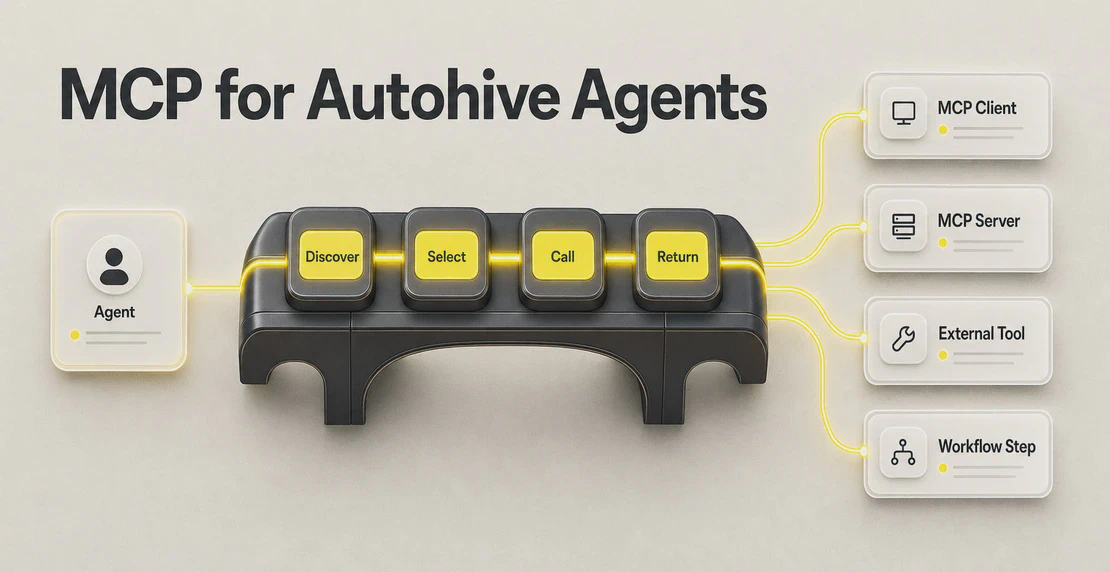 Jono Nourse
MCP gives Autohive agents a standard way to connect to outside tools, and knowing how to vet a server before you register it is what separates a safe …
Read article