
Jono Nourse
- 13 Nov, 2026
What's new this week: 6-13 November 2026
This week brings a Shopify Storefront integration, scheduling and webhooks in Agent Creator, and more than 350 new actions across 14 integrations.
Read article
Jono Nourse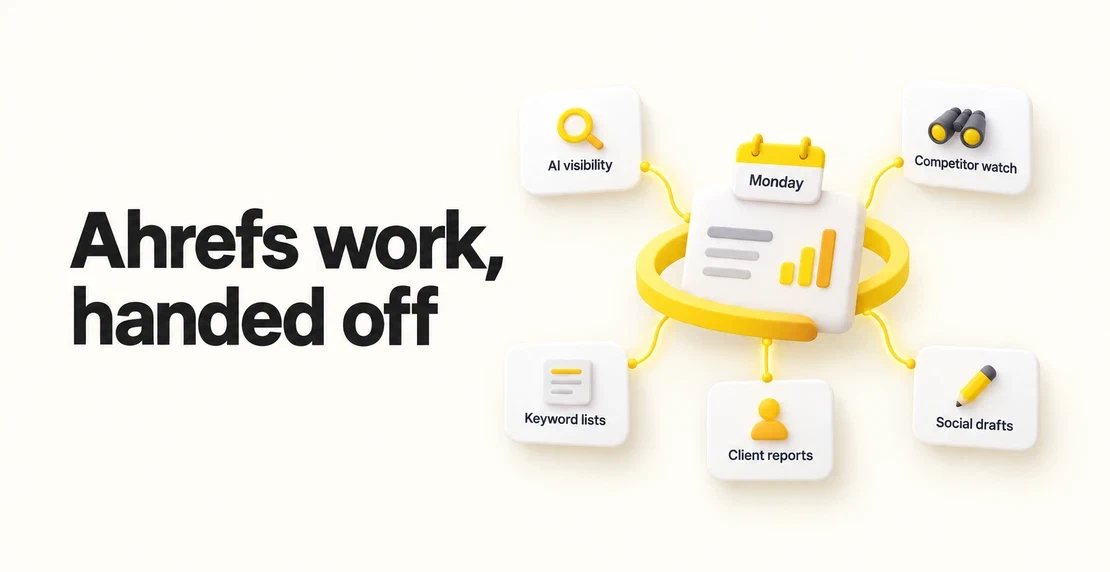
You pay for Ahrefs because good search data helps you make better calls. Yet pulling reports and checking rival sites eat into your week. You still have to turn the numbers into something a client will read.
Ahrefs automation with Autohive lets you hand those repeat jobs to an agent: software you give a job and permission to use your apps. You describe the work in plain language, then review what comes back instead of doing every pull yourself.
This opens our weekly series on recently upgraded integrations. We’ve added 22 actions to the Ahrefs integration, bringing the total to 158.
When a client asks whether AI answers mention their brand, someone has to open Ahrefs Brand Radar, compare it with competitors, and write up what changed.
Give an Autohive agent the brands, competitors, and markets to check. It can pull mentions and citations with their history, read the underlying AI responses, and send a weekly summary. Add the Slack integration and set a Monday schedule with your timezone so the note lands where your team works.
Try: “Every Monday, compare our brand’s mentions and citations with these competitors and the previous week. Post the changes, date range, and relevant AI responses to our SEO channel.”
Keep Ahrefs’ metric definitions intact: mentions count responses naming the brand, while citations count responses citing its page or domain. These aren’t measurements of real audience reach.
The integration can also create Brand Radar reports and add or remove custom prompts. It lets you change prompt countries and tags, plus how often reports track those prompts. Have a person approve tracking changes.
Check access first. Some Ahrefs AI indexes require an add-on; custom prompt tracking has different allowances. Our attempted report returned a message saying our plan didn’t include the data requested.
Competitor keyword tracking by hand means opening Site Explorer, comparing dates, and sorting the useful terms before you can act.
Ask an agent to compare your chosen competitor domains and country across two dates. Have it flag newly appearing keywords, with ranking pages and positions.
Try: “Every two weeks, compare these competitor domains with the previous month. Group newly appearing keywords by topic and show the page ranking for each.”
Rank Tracker only covers keywords you’ve added, so use Site Explorer for this discovery job. “New” means new in the Ahrefs date comparison, not proof that Google has never ranked the page before. It’s a scheduled check, not a live alert.
A service brief needs turning into search terms, then an Ahrefs list that stays current as the brief changes.
Paste the brief or page copy into your agent’s chat. It can suggest terms, check their volume and difficulty through Keywords Explorer, and create a keyword list for your chosen country. It can also read existing lists and add or remove terms as the work changes.
Try: “Use this service brief to suggest relevant keywords for our target market. Show me the Ahrefs metrics and your proposed list before saving it.”
Keyword lists and Rank Tracker keywords are separate. Saving a list doesn’t start tracking it, though the integration can add project keywords too. It can also create a project and add competitors when you’re setting up a new client. Require approval before deleting lists, keywords, or projects.
At month end, repeating the same checks for each client squeezes the time left for commentary.
AI agents for SEO can go through the projects in your connected Ahrefs account and draft a summary for each client. They can pull Site Explorer figures and trends, top pages, and changes in sites linking to you. Rank Tracker adds positions and data on rival sites.
Try: “Each month, compare these client projects with last month. Draft a summary of the main changes. Show the page or keyword behind each finding, and flag anything the account manager should check.”
SEO automation here means automated SEO reports in your own format, ready for review. Label traffic figures as Ahrefs estimates and ask the agent to report changes without inventing causes. Send each client’s summary to its own review channel.
Ahrefs already offers scheduled PDF emails through Report Builder. Use that if it meets your needs. The Autohive integration doesn’t have a Report Builder action, so this job produces its own summary rather than filling or sending those PDFs.
A new article or ranking win gives you a reason to share a page, but the post often goes unwritten.
Give your agent the article copy or an Ahrefs finding. It can save a draft in Ahrefs’ Social Media Manager for a connected channel such as LinkedIn, then schedule it once you’ve approved the wording and timing.
For example: “Write a LinkedIn post from this article for our company page. Save it as a draft and send me the wording for review before scheduling.”
Keep private client figures out unless the client has approved sharing them.
The post action covers text, channels, and timing. Media attachments aren’t verified for this integration, so add any images or video yourself. Edits and deletes apply only to drafts or scheduled posts, which means the agent can’t undo a published post.
Before writing this post, we ran job 3 on ourselves. We gave an Autohive agent connected to Ahrefs this article brief and request:
“Here’s the brief for our Ahrefs integration post. Suggest the search terms people use when looking for this, check them in Keywords Explorer for the US, and show me the volume and difficulty for each. Tell me which ones you’d target and why, and flag any to drop.”
The agent returned this table:
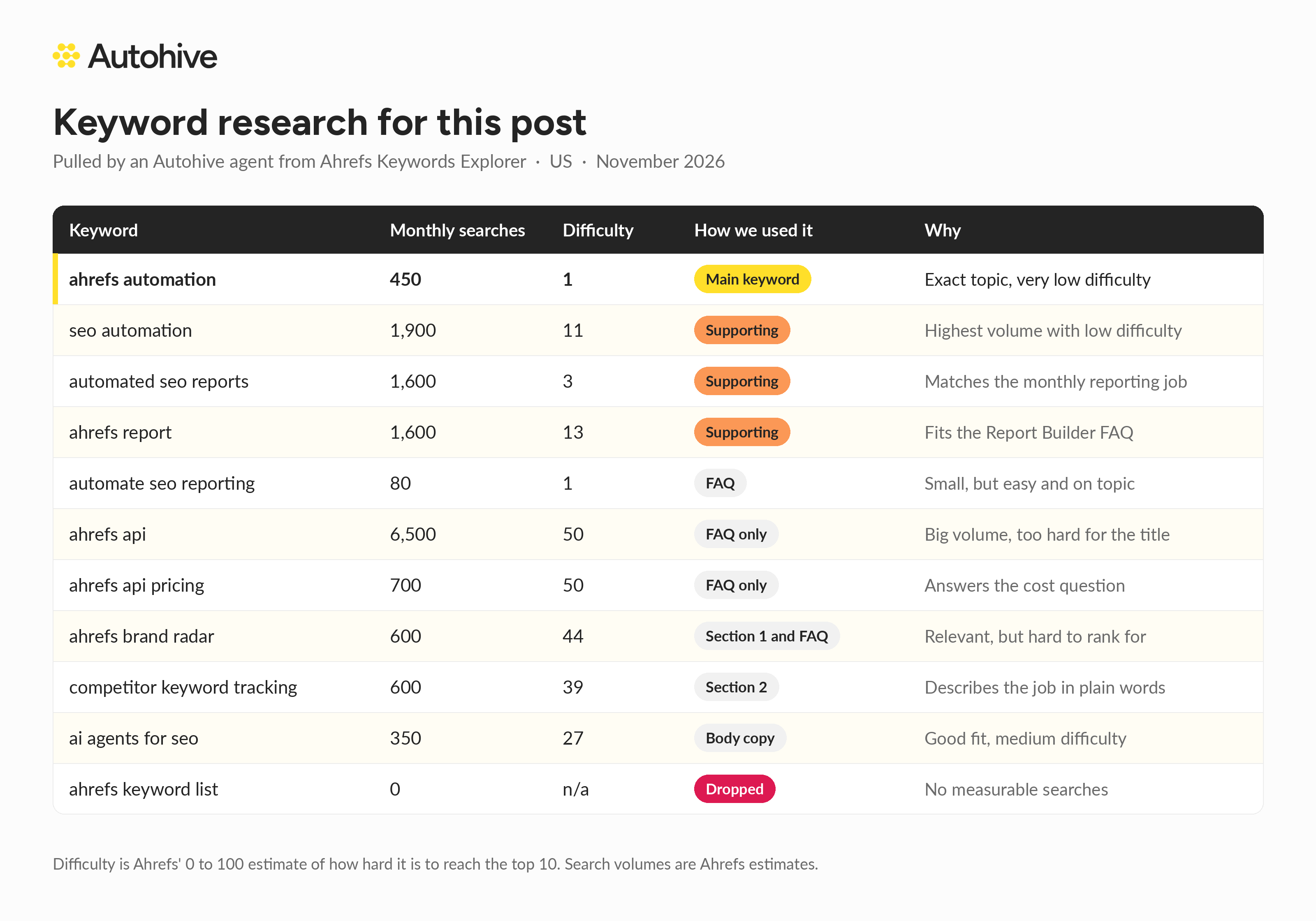
Our choices:
The agent did the lookups and the first pass at sorting. We made the final calls on fit, because we know which readers we want and Ahrefs doesn’t. That keyword lookup used about 600 Ahrefs API units. Usage depends on what you request.
Start with one job you already repeat. Add the Ahrefs integration to your agent and sign in to Ahrefs when prompted, then describe the output you want and which client projects it should use. No developer needed.
Add Slack if that’s where the result should go. Test the job against Ahrefs before setting a recurring schedule and timezone. Our guide to agents that work while your team sleeps covers scheduled runs, and you can also use agents directly from Slack.
Autohive includes unlimited seats; Ahrefs seats and data access depend on your Ahrefs plan. Some requests consume API units, so check your account’s usage before expanding across clients. Keep write and delete jobs behind your approval while you test.
Yes. Ahrefs Report Builder supports scheduled PDF reports by email. An Autohive agent is useful when you want a written summary or a handoff into another app, such as Slack. It pulls the relevant Ahrefs data and drafts its own output, rather than creating or scheduling a Report Builder PDF.
Ahrefs Brand Radar tracks how brands appear in AI answers, including brand mentions and citations of their pages or domains. You can compare brands with competitors and inspect the answers behind the figures. An Autohive agent can summarise those findings on a schedule, as long as your plan includes the Brand Radar data you need.
Yes. Ahrefs provides API access on eligible paid plans. Autohive’s Ahrefs integration connects agents to a listed set of actions, so you don’t have to write requests yourself. Those actions include reading search data and managing keyword lists, projects, Brand Radar tracking, and social drafts.
Ahrefs access and usage allowances depend on your plan. Some requests consume API units, while others don’t, so the cost depends on the data and size of each pull. Check Ahrefs’ current usage rules and your account before setting up frequent checks across multiple clients.
You can hand off data gathering, period comparisons, and report drafting, then run those jobs on a schedule. An agent can also send the result to a connected app for review. Keep a person checking the figures and deciding what they mean before the report reaches a client.
Choose the job your team keeps putting off and start there. Open the Ahrefs integration in the Autohive Marketplace, connect your account, and give your agent a clear brief for its first run.

Written by
Jono is the Marketing Operations Lead at Autohive, bridging the gap between commercial strategy and AI-powered execution. With a passion for building systems that scale, he brings structure to complexity and turns marketing activity into measurable …
Jono NourseThis week brings a Shopify Storefront integration, scheduling and webhooks in Agent Creator, and more than 350 new actions across 14 integrations.
Read article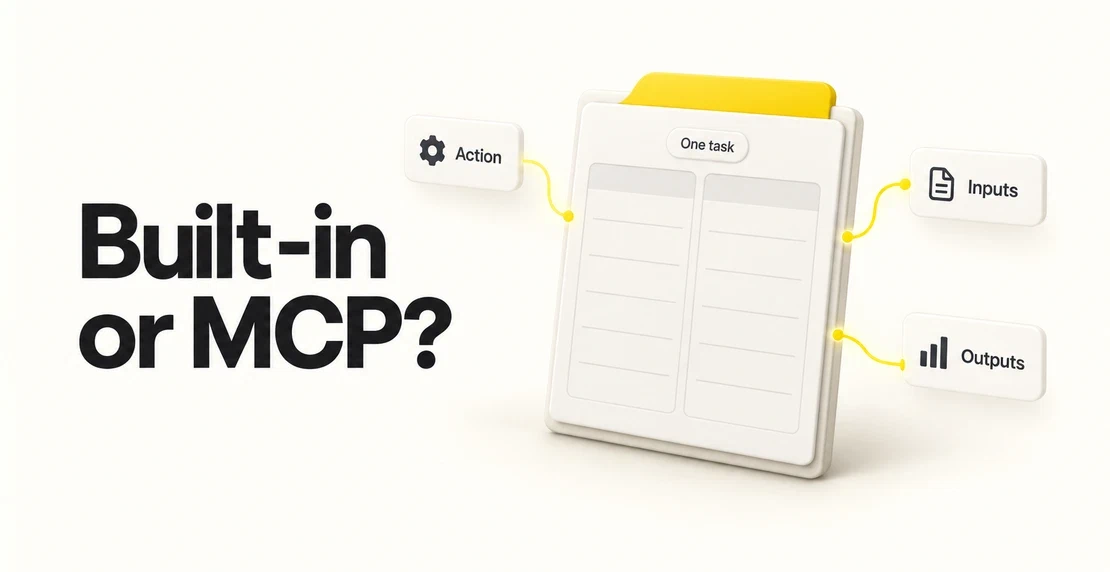 Jono Nourse
Choose a connection using evidence for one action, its required inputs, the returned data, and practical limits.
Read article