Ask someone what an AI agent does and you’ll usually hear something about answering questions or writing text. That’s half the picture. The part that makes agents genuinely useful at work is agent tools: the connections that let an agent do things in your actual systems, not just talk about them.
If you’ve searched for “agent tools” or “agents tools” and landed on pages full of jargon, this guide is the plain version. We’ll cover what agent tools actually are, how a tool differs from an agent, the main categories worth knowing, and how to pick the right ones for your team.
The short version
An AI agent is the decision-maker. Tools are what it reaches for to get work done.
IBM defines an AI agent as a system that autonomously performs tasks on behalf of a user by designing workflows with available tools. Google Cloud describes agents as software that pursues goals and completes tasks, using reasoning, planning, and memory. MIT Sloan frames them as systems that perceive, reason, and act to achieve goals for a human principal.
Notice what those definitions share: agents act. And to act on anything real, an inbox, a CRM record, a database, a document, they need tools.
A tool is an executable capability an agent can call to do something beyond its own reasoning.
IBM describes agent tools as external resources agents use to get current information, improve workflows, and break work into subtasks: datasets, web searches, APIs, even other agents. Teradata puts it more concretely: tools are functions, APIs, database queries, retrievers, code interpreters, and custom business logic that an agent can invoke. Neo4j keeps it simple: tools are the functions and services that help an agent act on the world, whether that’s calling an API, querying a database, sending a message, or running a workflow.
A useful way to picture it: the language model is the brain, and tools are the hands. The brain decides what needs doing. The hands actually reach out and do it.
These terms get used loosely, so here’s a clean split.
An AI tool is a standalone app or service built for one specific job. A transcription service, an image generator, a spell-checker. You point it at a task, it does that task, and it waits for you to trigger it again.
An AI agent uses tools. It decides which tool to use, in what order, and when the job is done. It can chain several tools together and adjust based on what it finds along the way.
The practical distinction is autonomy. As one comparison from the AI Agent Store puts it, AI tools usually need a manual trigger, while AI agents can work proactively and make their own decisions about what to do next. Google Cloud draws a similar line when it separates agents from simpler assistants and bots by how much autonomy they have.
So a translation API is a tool. An agent that reads an incoming support ticket, detects the language, calls the translation tool, drafts a reply, and logs the interaction in your helpdesk is an agent using several tools to finish a job.
The main categories of agent tools
Most agent tools fall into a handful of groups. You don’t need all of them. You need the ones that match the work.
- Web search for current, public information the model wasn’t trained on.
- Internal retrieval across your own knowledge base, using semantic search, vector search, or a knowledge graph, so the agent can answer from your documents rather than guessing.
Data and computation
- Structured data and SQL tools for querying databases and returning real numbers.
- Code execution for calculations, data transformation, and logic the model can’t reliably do in its head.
Files and content
- File reading and writing so the agent can open a document, pull out what it needs, and produce a new one.
Actions in your business systems
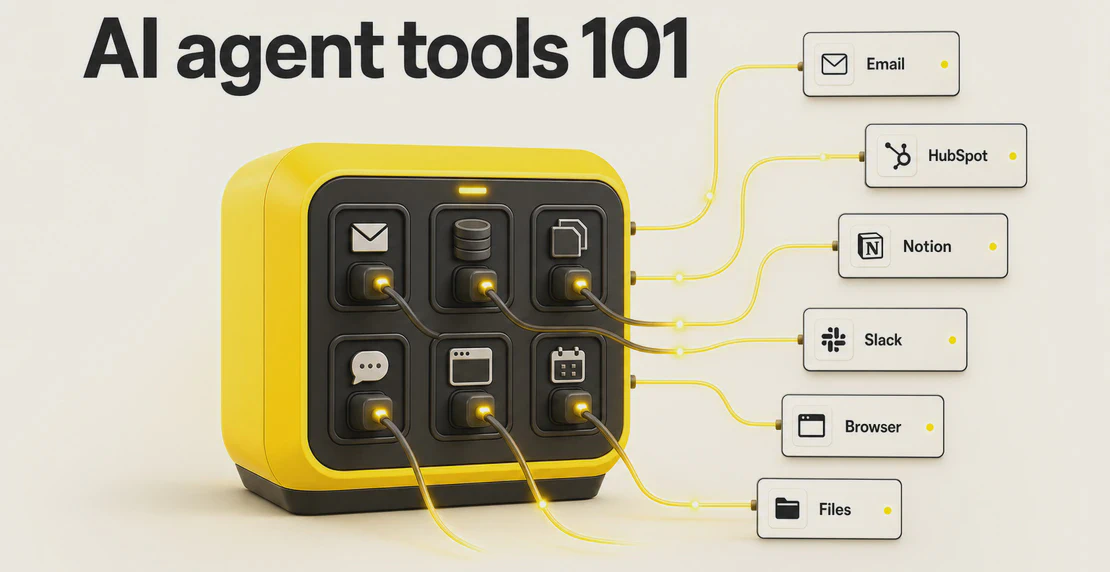
- Productivity and business actions: sending email, updating a calendar, moving a CRM deal, creating a support ticket, posting to Slack.
- Browser and computer-use automation for tasks that only exist behind a screen with no clean API.
Connectors and custom logic
- MCP server tools, which we’ll come back to below.
- Custom business logic that wraps your own rules, pricing, or approval steps into something the agent can call.
Neo4j and Teradata both group tools along these lines. NIST’s 2025 research into agents tools in deployed systems arrives at similar groupings, and calls for a shared vocabulary across teams building with them. The list looks long, but in practice a single agent often needs only two or three categories to be useful.
What this looks like in Autohive
In Autohive, agent tools go by two names: integrations and actions.
An integration is the connection to an outside platform. An action is the specific thing an agent can do inside that platform. Slack, for example, gives an agent actions like sending a channel message, replying in a thread, pulling chat history, finding a channel, retrieving a user profile, or adding a reaction. HubSpot gives it actions like creating and updating contacts, searching companies and deals, adding notes, and pulling a deal pipeline or ticket conversation.
Autohive connects to a broad integration library, including Google Workspace, Microsoft 365, Xero, Stripe, HubSpot, Pipedrive, Zoho CRM, Asana, ClickUp, Trello, Notion, Mailchimp, LinkedIn, Instagram, X, YouTube, and Canva. You choose which tools an agent gets in the Tools and Capabilities section of the agent builder.
The payoff is straightforward: an agent with the right tools finishes work inside your connected systems instead of handing you text you then have to copy somewhere else by hand.
A few things worth knowing about how this works day to day:
- Agents use tools in live chat and in scheduled jobs, so a task can run on a timer without anyone prompting it.
- Autohive’s workflow builder chains agents, tools, and conditions together with drag-and-drop, no code required.
- In a multi-agent setup, different agents can hold different tools and hand work between each other.
- The Content Hub gives agents built-in retrieval, so they can read your internal files through semantic search.
Where teams actually use this
Some common jobs agent tools handle well:
- Customer support: reading a ticket, finding the answer in internal docs, drafting a reply, updating the case.
- Sales operations: enriching a lead, updating CRM records, logging notes, flagging deals that have gone quiet.
- Employee onboarding: kicking off accounts, sending the right documents, answering new-hire questions from a knowledge base. Microsoft has documented onboarding agents doing exactly this.
- Document processing: summarizing contracts, comparing versions, pulling structured fields out of messy files, then routing them. Box has shown all of these in enterprise settings.
- Internal knowledge retrieval: answering staff questions from your own content instead of a public model’s memory.
- Reporting: gathering numbers from a few systems and assembling a regular report on a schedule. One example uses nothing but Google Calendar and Google Sheets to show what a team’s time is actually worth.
MIT Sloan makes a broader point about why this matters: agents can cut the transaction costs baked into everyday work, the time spent searching for information, communicating, and coordinating. Tools are how they do it.
Don’t start with a list of tools. Start with the job.
In many platforms, you have to choose every tool yourself. That means checking each integration, deciding what the agent needs, and hoping you picked the right setup.
Autohive makes this easier. You tell the agent builder what you want the agent to do, and it checks your workspace for useful integrations, actions, and other agents.
If the job needs Slack, HubSpot, Google Sheets, file reading, or another agent in your workspace, Autohive will add them at setup. You don’t have to search for everything one by one.
The result is simple: you describe the outcome, and Autohive helps match the agent with the tools it needs to get the job done.
1. Name the task and the outcome. What should be true when the agent is done? “The support ticket is answered and closed” is a good outcome. “Use AI” is not.
2. Map the task to tool categories. Work backward from the outcome. Answering a support ticket needs retrieval (to find the answer) and a business action (to post the reply and update the case). That’s two categories, not ten.
3. Decide build vs. buy per tool. Standard actions like sending email or updating a CRM are already built. Anything unique to your business, your pricing rules, your approval logic, is where a custom tool earns its place.
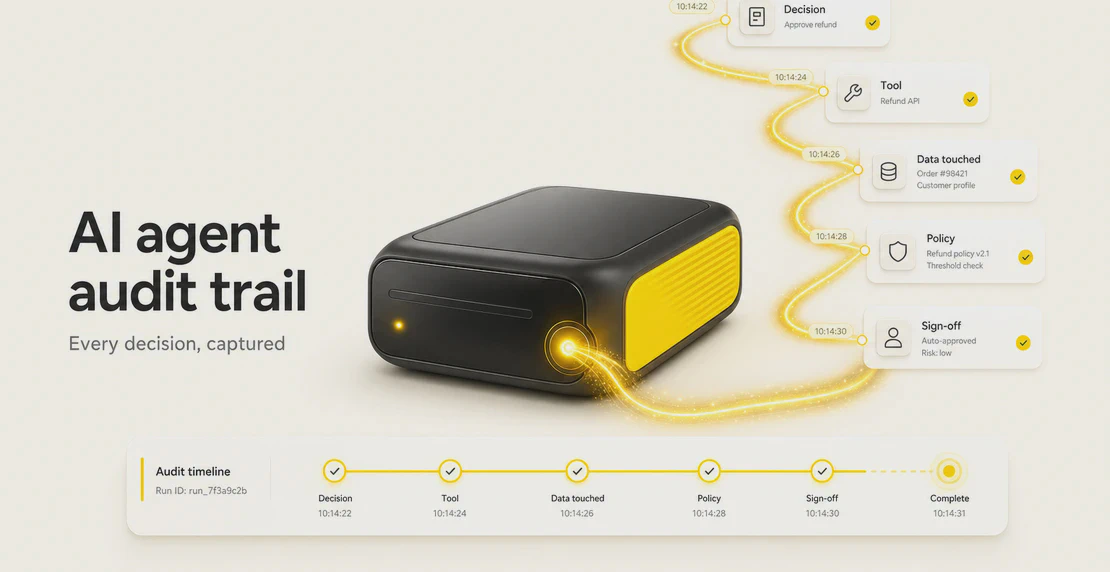
4. Check governance before production. Teradata and Box both stress this, and it’s the step teams skip. Before an agent touches real systems, confirm you have access controls, audit logs, telemetry, and clear human approval points for anything irreversible.
The part people underestimate: risk and governance
An agent with tools can act at scale, which means it can also make mistakes at scale.
The most common failure isn’t a dramatic one. It’s mundane: fragmented or low-quality data leading the agent to take the wrong action confidently, over and over. MIT Sloan is blunt that much of the real work in deploying agents isn’t the AI at all. It’s data engineering, governance, stakeholder alignment, and wiring the agent into existing workflows. IBM’s research on AI adoption challenges makes the same point: gaps or errors in enterprise data cause agents to run incorrect actions at scale, not just produce wrong answers.
At the tool layer specifically, a few practices keep things safe:
- Scoped permissions. Give each tool the narrowest access it needs, not blanket admin.
- Human approval for irreversible actions. Sending a payment, deleting a record, emailing a customer: put a person in the loop. Autohive supports this with approval requests.
- Treat tool outputs as untrusted input. Data coming back from a tool, especially a web page, can carry instructions you didn’t intend. Validate it.
- Match access to roles. In Autohive, owners connect plan-level integrations, managers can connect workspace-level ones, and standard members can use tools without reconfiguring them. Workspace credentials take priority over plan-level ones. More on that in team collaboration and roles.
Neo4j makes the same case from the engineering side: input validation, scoped permissions, and human sign-off on the actions that can’t be undone.
One standard worth knowing: MCP
If you follow this space at all, you’ll keep hearing about MCP, the Model Context Protocol. Anthropic launched it in November 2024, and it’s quickly become a common way to connect agents to tools and data sources without building a bespoke integration for every single one. Think of it as a shared plug shape: build a tool once as an MCP server, and any agent that speaks MCP can use it.
The reason it matters for planning: standards like this make tools more portable and reduce lock-in, which is worth weighing when you decide what to build.
Where this is heading
Agent tools are moving from a niche capability to a default one. Gartner has predicted that 40% of enterprise applications will include task-specific AI agents by the end of 2026, up from less than 5% in 2025. The agents in those apps will be judged less on how well they chat and more on what they can actually finish. That comes down to their tools.
Getting started
You don’t need a grand strategy to begin. Pick one task that eats time and touches systems you already use. Map it to the two or three tool categories it needs. Set up the access controls and an approval point for anything risky. Then let the agent run it, watch what happens, and adjust.
If you’re building on Autohive, that means opening the agent builder, connecting the integrations the task needs, and choosing the specific actions in the Tools and Capabilities section. The first agent guide walks through it step by step.
The shift worth internalizing: an agent without tools writes about work. An agent with the right tools does it.

Jono Nourse