She spent three hours on a skill that should have taken twenty minutes.
One of our team members set out to build a Google Sheets skill from scratch. She wasn’t a developer. She knew the product well and had been building agents in Autohive for weeks. The goal was specific: give agents the ability to read data, append rows, and update cells in Google Sheets without prompting for those capabilities every time. Skills make that possible. Building one was the hard part.
She started with the SKILL.md file and hit the technical setup almost immediately. The description field needs to be precise. Too broad and the skill triggers on everything, burning context and slowing the agent down. She wrote it broad the first time and spent the better part of an hour watching her agent load the skill for requests that had nothing to do with spreadsheets. She tightened the description. Now the skill never fired.
Then came the question of whether the Google Sheets actions should live inside the instruction layer, run through a bundled script, or come in as a referenced file. She guessed script first, wrote one, and then couldn’t figure out why the agent kept ignoring it. The integration was connected. The skill was attached to the agent. When she asked it to read data from a sheet, it explained what Google Sheets was, knowledgeably and completely unhelpfully.
She pulled the script and tried a different approach. The skill still misbehaved, just differently. By hour three, she had something that technically existed in the editor and sometimes worked, depending on how she phrased the request. That’s not what a skill is supposed to do.
Why this is harder than it looks
As we wrote when Skills launched a few weeks ago, the core idea is teach once, reuse everywhere. A skill packages instructions, context, and capabilities into a unit any agent can pull from, without you repeating yourself in every prompt. The principle is simple. The implementation is where it gets complicated.
Skills load in three layers. Metadata stays in context always. The main SKILL.md loads when the skill is relevant. Bundled scripts and files load only when specifically needed. Writing a skill that uses those layers correctly requires understanding when each one fires and why. Write the trigger description wrong and the skill either loads constantly or sits idle. Write the instruction layer without accounting for how the integration maps to the agent’s tool list, and the agent calls nothing.
One technical resource on skill design puts it plainly: “programming an LLM to perform a task through a skill requires a lot of skill and trial-and-error because skills are not usually deterministic scripts.” That matches what we saw. The people who most need to build skills are often the ones doing it between their actual jobs, not people with the background to troubleshoot AI agent configurations on a Tuesday afternoon.
No-code tools regularly expose technical concepts like expression editors and API binding that block non-technical users even when the interface looks simple. Skill building is not immune to this.
What happened with Skill Creator
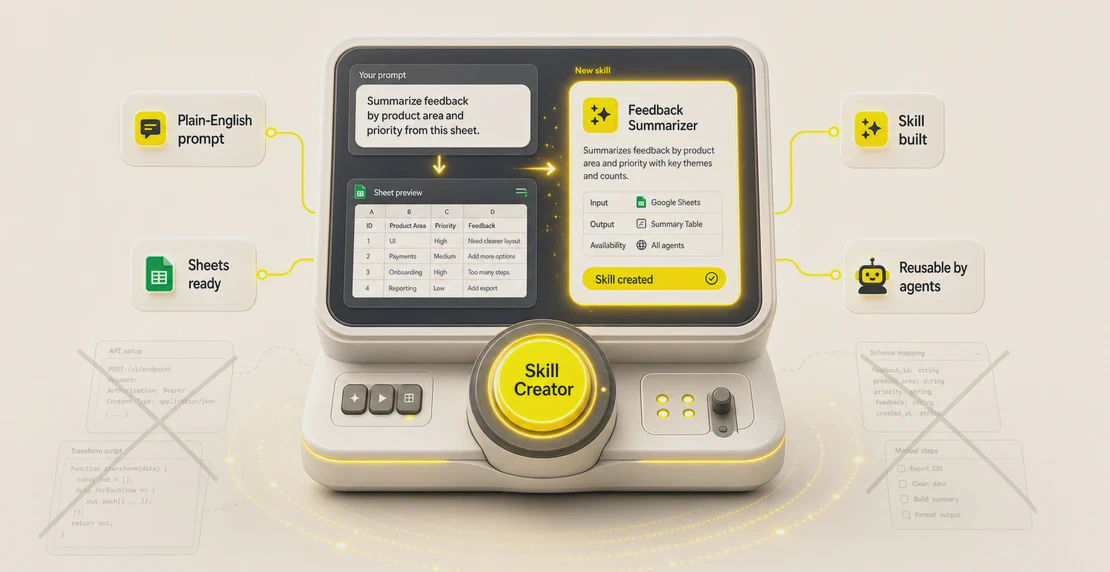
Skill Creator shipped to production this week. It sits directly in the skill editor. You describe in plain language what you want the skill to do, and it builds the package: name, description, trigger logic, SKILL.md, all of it.
The same team member went back to the Google Sheets skill. She typed something like: “Create a skill that lets my agents read, write, append, and update data in Google Sheets.” Skill Creator ran through the setup and populated the editor.
The Google Sheets actions fired correctly, and it worked.
That gap, from three hours of debugging to a few minutes with a clear prompt, matters less as a productivity story than as an access story. The barrier to building a working skill had nothing to do with her understanding of the workflow she was trying to automate. It was structural: configuration files, trigger calibration, and script architecture. Things that belong to a different job description.
Skill Creator doesn’t skip the part where you read what it built, test it, and refine the output. What it removes is the technical scaffolding you’d otherwise have to build before you could test anything at all.
Who this is for
About half of employed US adults now use AI at work, but the people getting the most out of it tend to be the ones with the technical depth to build and configure AI agents, not just use what someone else already set up. Skill Creator moves that line.
Google Sheets is a good illustration of why that matters. More than 900 million people use Google Workspace monthly, and Sheets is where a lot of real operational work happens: tracking leads, managing inventory, running status reports, handling finances. If an agent can read and write to a spreadsheet reliably, that covers a meaningful chunk of business process automation. Autohive’s Google Sheets integration supports creating sheets, reading and writing data, appending rows, formatting cells, and batch updates. A well-built skill gives agents access to all of it without any repeated setup.
Getting that skill right manually required knowing how to build skills. Getting it right with Skill Creator required knowing what you wanted the skill to do.
Try it
If there is a workflow your agents handle repeatedly, that’s a skill candidate. Open the skill editor, describe the capability you need in plain language, and see what Skill Creator generates. The Google Sheets integration is live, and the full integrations library covers most of the tools your team already uses.
From there, the custom agent guide walks through connecting skills to agents. If you are new to building on Autohive, creating your first agent is the faster path in. More posts on skills and agent behavior live on the Autohive skills blog.


Jono Nourse