Sources checked 10 November 2026.
For built-in integration vs MCP, choose the path that covers one task: the action, the inputs your agent can supply, the data the next step needs, and the practical limits. The needed data can come from the action or a documented follow-up read. If you can’t confirm those points, leave the choice open until you have evidence.
This guide assumes you already know MCP and have picked the app and task. For the basics, server discovery, or connection steps, start with our MCP explainer. Here, one task means one action on one app, such as updating a record or reading a file.
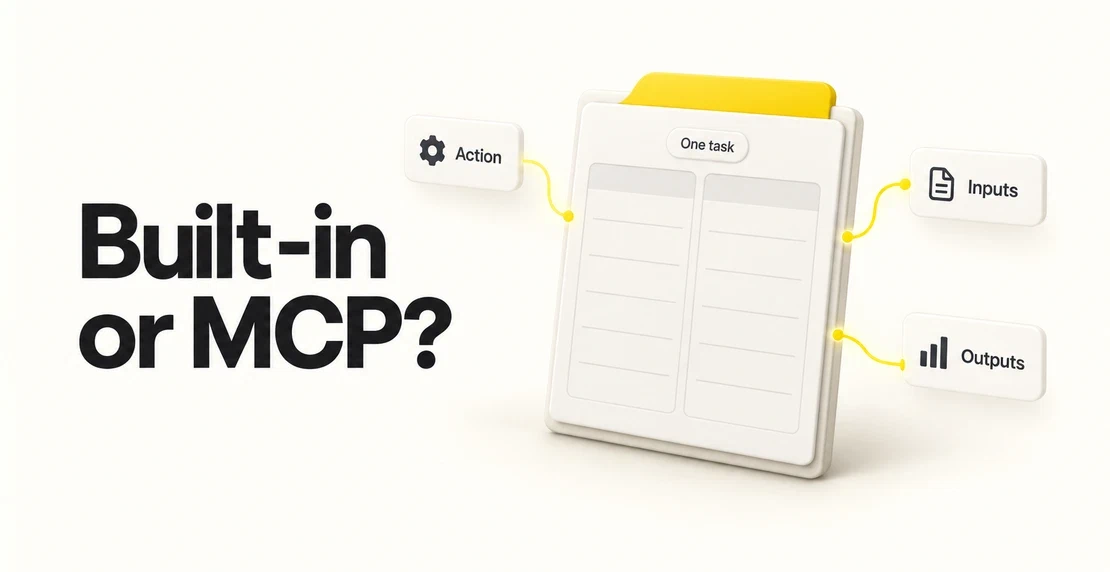
Copy this table and fill in one row at a time. Use the middle column to describe what your task needs. Then fill in what each path offers.
| Line | What to write | Built-in integration | MCP tool |
|---|
| Task | One sentence naming one app and one outcome | | |
| Action | The verb and object, such as “update status on a record” | | |
| Required inputs | The values and types the action needs that your agent can supply at this point | | |
| Allowed values | Any fixed options, such as a set list of statuses | | |
| Returned outputs needed | What the next step needs back from this action | | |
| Output evidence | Where you saw the output described: docs, a schema, or a sample run | | |
| Practical limits | Plan, version, size, or pagination limits, where the source states them | | |
| Source and check date | The link or location, and the date you checked it | | |
| Gaps | Anything the path can’t do for this task, or anything you couldn’t confirm | | |
Leave a cell blank when you don’t know. A blank means unknown, rather than a failed check. A schema is a set of rules listing the fields an action expects and their types.
The MCP protocol calls each operation a tool. Autohive’s interface uses the word actions. Record the version or date you checked, too. A tool list you read last month may not match today’s.
A hypothetical example: updating a CRM status
No real CRM or vendor schema is shown here. These are requirements, not field names. This example does not describe a tested product connection.
The task: after a person approves it, the agent sets one record’s status to a new allowed value.
| Requirement | Why |
|---|
| Input: record ID | The agent has to change the right record, and only that one |
| Input: status property | The action has to know which field to change |
| Input: new value from the allowed list | A value outside the list could fail or be saved wrong |
| Confirmation: record ID and saved status | The next step needs to check the saved change. These could come from the action or a separate read |
Consider two hypothetical gaps. If a path’s action only accepts a record name, not an ID, the agent needs to resolve the name. It also needs a rule for records that share a name. That adds work to build and test.
If another path only returns “success”, you can’t tell from that what status was saved. You need a read-back step to confirm it.
Neither gap rules a path out on its own. Each adds a step to build and test. Write both in the Gaps row so you can compare the paths fairly.
The MCP tools specification, in its version dated 2025-06-18, describes how a client finds tools through tools/list. Each tool has an inputSchema describing the parameters it expects. An outputSchema is optional, and results can be structured or unstructured. Check the version your server supports rather than assuming an older reference covers it.
A tool with no outputSchema might still describe its output in the server’s README or examples. Look there, or run a sample. If you find no evidence, leave the Output evidence cell blank.
For a built-in integration, read the fields the action asks for and its documentation. Don’t assume what comes back. If nothing describes the output, run a sample and record what you see.
Read scope matters on both sides. Notion’s Retrieve a page reference gives a useful example. The endpoint returns page metadata and property values, but not page content. Content needs a separate request for block children. Some full property values need a page property item request, with pagination.
That example concerns Notion’s own API, not an Autohive connection. It shows why “get the page” may not mean “get everything on the page”.
For the broader protocol roles, see MCP compared with REST and webhooks.
When to use MCP
Choose MCP for this task when you’ve verified a gap in the built-in integration and the MCP tool covers every requirement on the sheet. You need evidence for both. A suspected gap stays unknown until you check it.
A built-in integration might lack the action you need. Its action might require an input your agent doesn’t have. Or it might not return the data the next step needs, with no documented way to read that data back.
The MCP tool has to fill the gap without creating another. Having the right action is not enough if the tool needs inputs your agent can’t supply. Check the practical limits on that path as well.
Before connecting an unfamiliar server, use our MCP server security checklist. That review is separate from checking whether the task fits.
When the built-in integration fits
Apply the same test in reverse. A built-in integration fits when its action covers the task, its inputs match what your agent has, and its output or a follow-up read meets the next step’s needs. Its practical limits must fit too.
MCP vs native integration: what if both fit?
If both paths cover every requirement, pick the one you can maintain and test. For MCP or native integration, ask who looks after the connection and whether you can rerun a test on a fake record. Check how you will notice changes to the action or tool.
This worksheet doesn’t rank either path on speed or safety. Make those judgements separately rather than treating the connection label as evidence.
What to do when the worksheet does not settle it
If neither column has evidence for every requirement, don’t assume either path fits. Read the specific action’s docs, ask its maintainer about missing details, or run a sample to see the output.
Use a small, approved test in a non-production space with a fake record. Check the inputs your agent has, and what happens with a value outside the allowed list. For the hypothetical CRM task, check whether you can retrieve the record ID and saved status, from the action or a read.
The test checks this one task. It isn’t a benchmark or proof that a connection is safe in general. Record the result and date on the worksheet.
The sources for this post were checked on 10 November 2026. We did not verify both paths for the same task inside Autohive, so the worked example stays hypothetical. It makes no claim of product parity.
Take your current task and copy the worksheet. Fill in each column from evidence. The blank cells show what to check next.
Questions people ask
Should I use MCP or an integration for one agent task?
Use whichever you can show meets the task’s needs. Check the action, inputs your agent can supply, required output or a follow-up read, and practical limits. Both paths face the same checks. If neither has enough evidence yet, resolve the unknowns with documentation or a small test before deciding.
MCP or native integration: which returns more data?
Neither connection type guarantees more data. What comes back depends on the specific action or tool. Check its docs, schema, or a sample result for the fields your next step needs. Record the source and date. If a required field is missing, check whether a separate read supplies it.
An MCP tool’s outputSchema is optional in the cited specification. A server may still describe its output in its own docs or examples. If you can’t find evidence of the fields you need, mark them unknown. Run a small test before relying on the output for your task.
What if both connections cover the task?
Pick the path you can maintain and test. Ask who looks after it, whether you can rerun a test on a fake record, and how you will notice action or tool changes. Both paths still need to meet your task’s limits. The worksheet makes no speed or safety ranking.

Jono Nourse