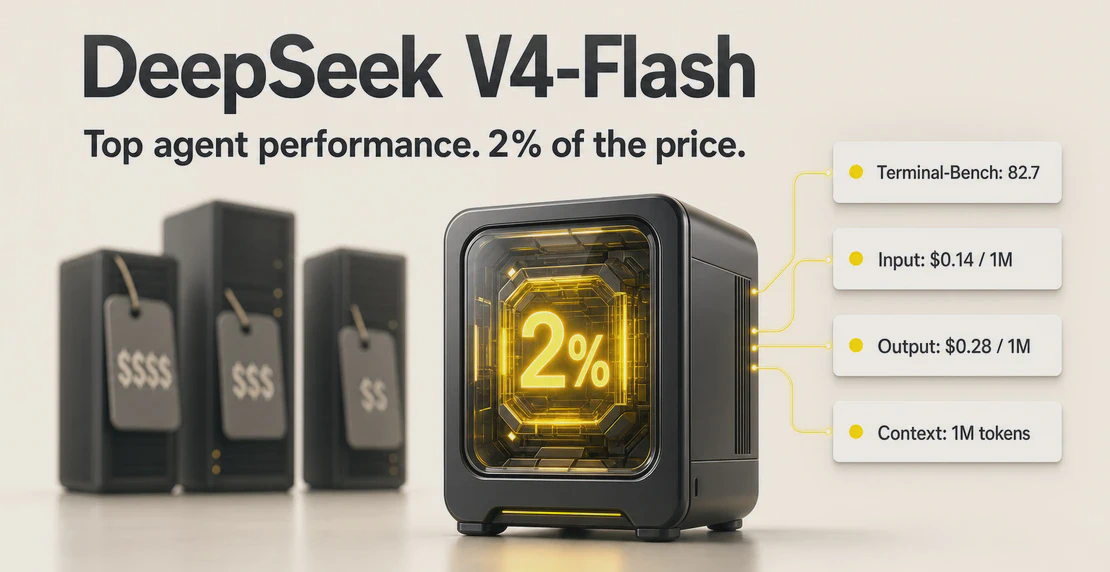
DeepSeek V4-Flash (the 0731 build) is available in Autohive today, via Fireworks AI.
For terminal work, tool calling, automation, software engineering, and full-stack tasks, this model sits near the top of the benchmark rankings, at a fraction of the cost of the premium alternatives. That has real implications for how you build and run agents at scale.
What it is
DeepSeek V4-Flash is a Mixture-of-Experts language model with 284B total parameters and 13B active per token. The July 31, 2026 build, deepseek-v4-flash-0731, is the one that matters. The architecture hasn’t changed from the preview version. The post-training has, and the results show it.
On Terminal-Bench 2.1, the preview scored 61.8. The 0731 build scores 82.7. DeepSWE went from 7.3 to 54.4. Cybergym went from 38.7 to 76.7. AutomationBench Public went from 10.8 to 25.1. DSBench-Hard went from 25.8 to 59.6. Across the agentic and coding cluster, scores roughly doubled from the preview build, and DeepSWE climbed roughly 7x. These are post-training gains, not a bigger model.
Where the numbers land
The DeepSeek V4-Flash benchmark data makes the price gap between models hard to miss.
On Terminal-Bench 2.1:
| Model | Score | Input (per 1M tokens) | Output (per 1M tokens) |
|---|
| GPT-5.6 Sol | 85.8 | $5.00 | $30.00 |
| DeepSeek V4-Flash | 82.7 | $0.14 | $0.28 |
| Fable 5 | 80.5 | $10.00 | $50.00 |
| Sonnet 5 | 74.5 | $3.00 | $15.00 |
DeepSeek V4-Flash scores within 3 points of GPT-5.6 Sol on Terminal-Bench, and it beats Fable 5 and Sonnet 5 outright. Input runs $0.14 per million tokens, against $3 for Sonnet 5 and $5 for GPT-5.6 Sol. On output, the gap widens further: $0.28 against $15 and $30.
For terminal and tool-use work, that ratio is hard to ignore.
The strong results carry across the wider agentic cluster too. NL2Repo hit 54.2, Toolathlon-Verified 70.3, Agents’ Last Exam 25.2, DSBench-FullStack 68.7. Across the benchmarks that measure real agent behavior, the 0731 build competes with models priced an order of magnitude higher.
What Autohive deploys
The model in Autohive is deepseek-v4-flash-0731 via Fireworks AI. Full specs:
- Context window: 1,048,576 tokens (roughly 1M)
- Max output: 384,000 tokens
- Tool use: supported
- Reasoning: supported
- Streaming: supported
- Image input: not supported
- Temperature max: 1.0, top-p: 0.95
At 1M tokens of context, you can pass long document sets, full conversation histories, and large code repositories without hitting a ceiling on most practical tasks. Tool use and reasoning are both active, and that matters for the work this model handles best.
The one hard limit is images. If an agent needs to analyze screenshots, diagrams, or any visual input, DeepSeek V4-Flash can’t do it. That gap doesn’t close with a workaround. Keep a multimodal model in your stack for those cases.
The cost logic for agent workflows
Per-model pricing looks simple. Agent pricing works differently, because tokens multiply.
When an agent runs a task, it drafts a plan, calls tools, receives tool output, synthesizes results, handles errors, retries, compresses context, and passes summaries upstream. A task that looks like 5,000 tokens in isolation can consume 50,000 tokens or more across a full loop. Multiply that by a workspace running scheduled jobs and parallel workflows, and token costs add up fast.
At $0.14 per million input tokens and $0.28 per million output tokens, DeepSeek V4-Flash’s cost-to-performance ratio buys considerably more headroom. If your team runs on a Starter plan (3M credits) or Team plan (18M credits), assigning a cost-efficient model to tool-heavy agents means more jobs fit inside the same credit allocation. Autohive’s usage dashboard shows exactly where credits go, so you can see what model choice actually costs you.
Where to use it, where not to
The DeepSeek V4-Flash benchmark results are strong, but not across the board. DeepSeek V4-Flash is built for agentic work, and it shows. Terminal tasks, tool-use sequences, software engineering, automation pipelines, and full-stack coding are where the scores hold.
Some tasks call for a different model.
Skip it for:
- Anything requiring image input (not supported)
- Deep cross-file repository reasoning, where models like Sonnet 5 or GPT-5.6 Sol still have an edge
- High-craft editorial writing where prose quality is the actual output
- Final user-facing copy where tone, coherence, and voice matter
- Complex multi-hop reasoning chains where premium models produce more reliable results
Don’t pick one model and apply it everywhere. Autohive lets you assign different models to different agents, so you match model capability to task requirements instead of overpaying for work that doesn’t need it.
Building a model hierarchy
AI agent model selection in Autohive happens per agent, inside the Agent Creator. You choose the provider and model for each agent individually, so agents running on different models can share the same workspace and hand off work to each other.
A sensible setup: a scheduling agent, a data-retrieval agent, a tool-orchestration agent, and a processing pipeline all run on DeepSeek V4-Flash. A documentation agent producing customer-facing copy, or an agent analyzing uploaded images, runs on a premium model. Everything sits in the same workspace and collaborates through multi-agent workflows.
This logic fits especially well with automated jobs and scheduled agents. Background tasks that run overnight or on a recurring schedule are exactly where a cost-efficient model earns its keep. The agent runs more loops inside the same credit budget. You pay premium rates only for work that actually requires it.
In a workflow with five stages, maybe two require real judgment and three are mechanical. Those three don’t need to cost the same as the two that do.
Getting started
To assign DeepSeek V4-Flash to an agent, open the Agent Creator, find the model configuration step, and select DeepSeek V4-Flash from the provider list. Both new and existing agents support it. If you’ve got agents running tool-heavy or automation tasks on pricier models, review those first.
If you haven’t built an agent yet, the creating your first agent guide walks through the full setup. The integrations page lists the 60+ integrations you can connect once your agent is running.
DeepSeek V4-Flash handles tool calling, long context, and agentic loops at a price that changes what you can run inside a given credit budget. Use it where that trade-off makes sense, and keep the premium models where they earn their cost.

Jono Nourse