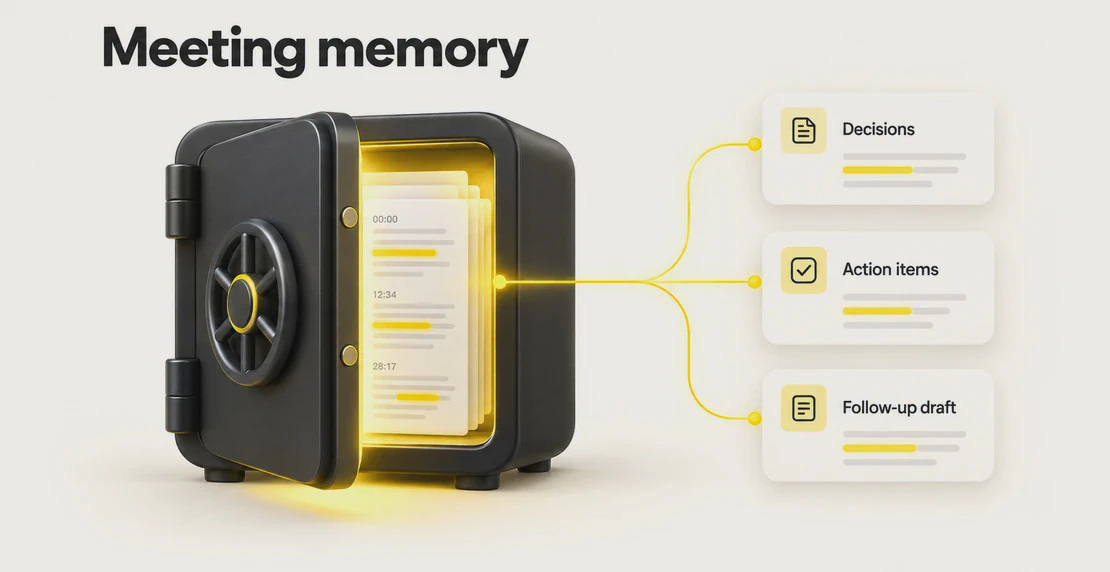
Yes. An Autohive agent can now read your past meetings and answer questions about them. Ask what you decided in yesterday’s call and you get a straight answer. The agent reads the notes and transcript, pulls out decisions and action items, and can draft the follow-up in the same run.
You don’t have to dig through recordings, scroll transcripts, or paste chunks of text into a chat window. The meeting record sits right where your agent works. The agent only sees the meetings you can already access.
How it works
AI agent access to meeting transcripts runs through a read-only location every agent can reach: /content/meetings. Each meeting lives in its own folder named after the call and its date, like /content/meetings/Product Sync-2025-01-14/.
Each folder holds up to two files:
summary.md holds the clean version: a short summary, the Decisions, the Action Items, and any Open Questions.transcript.md holds the full timestamped dialogue with speaker labels, so the agent can check exact wording when it matters.
If a meeting was never summarized, the folder may only contain transcript.md. The agent reads the summary first, then goes to the transcript when you need an exact quote or more context.
You never type file paths. Ask in plain language, and the agent finds the right meeting and the right lines on its own. The paths are here to show how the feature works behind the scenes, and you don’t need to memorize them.
Two rules shape the access model.
Permission-aware AI agent access
An agent only receives the meetings the active user can access, whether as the organizer, an attendee, or a permitted member. If you can’t open a meeting, your agent can’t read it either. Ask about a call you weren’t part of and have no access to, and the agent has nothing to read for it. An agent also can’t hand its meeting access to another agent.
Read-only by design
An agent can’t change or delete the meeting record. The mount sits beside /content/workspace, separate from your working files. When an agent produces a summary, an audit, or a draft, it writes that output into your workspace or output area. Your original meeting stays untouched.
A quick example
You: What did we decide in yesterday’s call?
Agent: You agreed to push the launch to 3 February, drop the premium tier from the first release, and send pricing options to the client by Friday. Two questions were left open: who signs off on the final copy, and whether the discount applies to annual plans. Want me to draft the follow-up email?
Plenty of meeting tools can answer a question like that. This one worked from the real record, stayed inside what you can access, and offered to act on it without you leaving the chat.
What you can do with it
Meeting context for AI agents turns a recording into something you can act on. Here are a few jobs it handles well.
Audit action items
Ask the agent to pull every action item from a call and tell you who owns each one and when it is due. Run it across a week of meetings to catch tasks that slipped through.
Synthesize several calls
Point the agent at a set of related meetings and ask what changed between them. It can track how a decision evolved across three calls, or flag where two meetings reached different conclusions on the same topic.
Draft the follow-up
After a meeting, ask for a follow-up email, a Slack update, or a short status note. The agent writes it from the actual decisions and action items, so nothing depends on anyone’s memory. You edit before anything goes out.
Check what you actually agreed
When wording matters, the agent reads the transcript to confirm the exact commitment. This helps with pricing, scope, deadlines, and anything you may need to point back to later.
Hand off a project
Starting on work someone else scoped? Ask the agent to read the relevant meetings and give you the background: what was decided, what is still open, and who to ask about what.
Privacy and trust
Meeting content is sensitive, so the access model is strict.
Your transcripts and notes stay inside your workspace boundary. They are not used to train external foundation models. Audio is discarded after transcription, so what remains is the text record you and your team can see.
Access always follows the active user. The agent inherits your permissions for each run and nothing more, so it can’t show you a meeting you were never allowed to open. Because the mount is read-only, no agent can alter or erase the record of what was said.
For the full detail on how Autohive handles data, see the security and compliance documentation.
How to try it
If you already use Autohive Meetings, your past meetings are ready to read. Open any agent and ask a question about a recent call, such as what was decided or who owns a given task.
New to Meetings? The original Meetings post covers capture and setup. The Meetings documentation walks you through connecting your calendar and recording calls. Autohive Meetings supports bot-free recording, and your calendar connection helps identify which call is which.
Once a meeting is captured, any agent you run can read it, limited to what you have access to.
FAQs
Can an agent read and answer questions from my past meetings?
Yes. Any agent you run can read the summary and transcript of meetings you have access to. It can then answer questions, audit action items, or draft follow-ups from that content.
Do I need to type file paths or find the transcript myself?
No. Ask in plain language and the agent locates the right meeting and the right lines. The file names and paths exist behind the scenes, and you never have to enter them.
Can an agent see meetings I was not part of?
Only if you already have access to them as the active user. If you can’t open a meeting, your agent can’t read it, and it will have nothing to pull from for that call.
Can an agent change or delete my meeting notes?
No. The meeting record is read-only. Agents read the summary and transcript, then write any output to your workspace and leave the original untouched.
Are my meeting transcripts used to train AI models?
No. Your transcripts and notes stay within your workspace boundary and are not used to train external foundation models. Audio is discarded after transcription.
What if a meeting has no summary?
The agent reads transcript.md directly. You still get answers about decisions and action items. The agent just works from the raw dialogue instead of a pre-built summary.

Jono Nourse