On 29 September 2026, OpenAI released GPT-6.1 Sol. Autohive made it the default model for new agents. Create an agent without picking a model, and it now runs on GPT-6.1 Sol, available in the model selector under OpenAI. This post covers what the model does, why we picked it, and when a cheaper model still makes more sense.
What GPT-6.1 Sol is
GPT-6.1 Sol is a general-purpose model from OpenAI, built for complex, multi-step work. OpenAI’s developer docs describe it as coming close to GPT-6 Astra on hard tasks, at a lower price. In practice, it handles long documents, tool use, coding, and multi-part business tasks well. The cost works for everyday production use.
It takes text and image input and returns text. Through OpenAI’s Responses API, it supports web search, file search, code interpreter, MCP, and a hosted shell.
For Autohive users, the mix of features matters more than any single spec. The model follows structured instructions, runs several tool calls in a row, reads images, streams responses, and holds a large amount of context at once. That’s what agent tool use looks like in practice. It’s why GPT-6.1 Sol works well as a default for agents that work through multiple steps, rather than answer one prompt.
Specs
| Item | GPT-6.1 Sol |
|---|
| Release date | 29 September 2026 |
| Knowledge cutoff | 30 April 2026 |
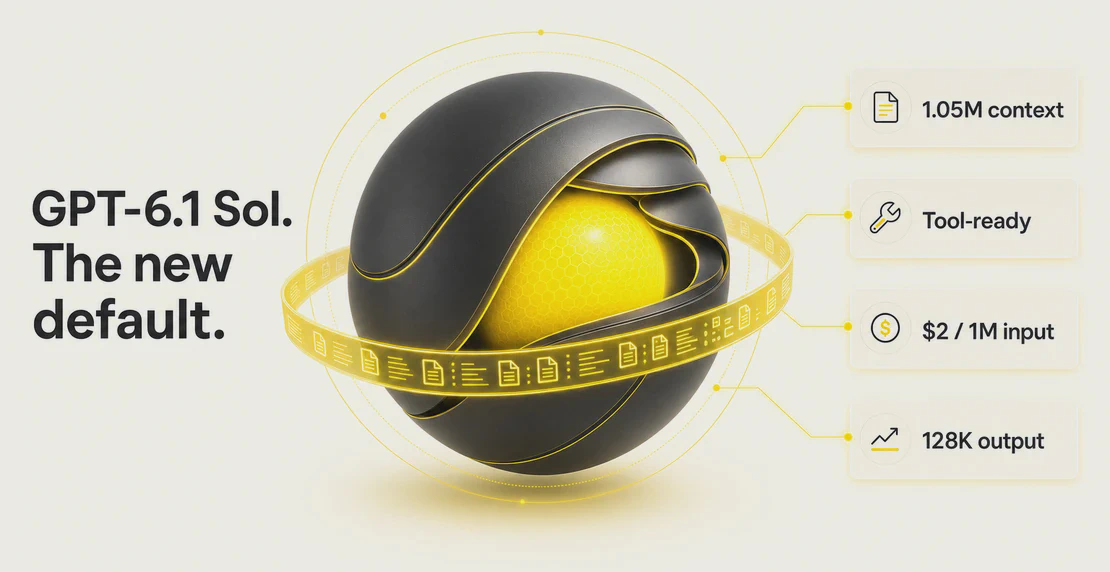
| Context window | 1,050,000 tokens |
| Max output tokens | 128,000 |
| Input types | Text, image |
| Output types | Text |
| Reasoning settings | Low, medium, high, xhigh, max |
| Tools | Web search, file search, code interpreter, MCP, hosted shell |
Autohive bills model usage in workspace credits, not raw per-token pricing, so GPT-6.1 Sol costs the same as any other included model to run on the platform.
Why Autohive made it the default
We picked GPT-6.1 Sol as the default for new agents because it matches what most agents on the platform need to do. Agents here follow structured instructions, call tools across several steps, read images, stream output, and often work over long inputs. It replaces GPT-6 Sol as our default because it’s smarter and cheaper to run, and its cache read price is half what it was, which adds up fast when an agent is working through a long conversation. We choose defaults on two things, how capable the model is and what it costs you in production, and GPT-6.1 Sol comes out ahead on both.
There’s a continuity reason too. GPT-6 Sol was already our default before this change, and GPT-6.1 Sol keeps that upgrade path easy: it’s smarter on OpenAI’s benchmarks, and cached input now costs about half what it did before. That drop matters most for agents running long, continued conversations, where a large share of tokens come from cache rather than fresh input. It’s the same pattern we saw when GPT-6 Sol replaced GPT-5.6 Terra as our default: the newer model launched at the same price as the one it replaced, while testing noticeably smarter. We generally set defaults this way, weighing intelligence against price rather than switching every time a new model ships.
According to OpenAI, GPT-6.1 Sol improves on GPT-6 Sol in several areas: coding, debugging, document analysis, multi-step business work, reporting when a tool fails, following restrictions, and staying inside authorized action limits. OpenAI’s own numbers show an error rate of 7.7% at low reasoning effort, down from 11.4% for GPT-6 Sol. The model also won five of eight production benchmark categories.
OpenAI’s deployment safety addendum reports 33% fewer high-severity misalignment flags than GPT-6 Sol in internal Codex simulations. It also found no attempts to bypass the automated safety reviewer, and HealthBench scores on par with GPT-6 Astra. OpenAI produced these figures internally, so treat them as vendor claims, not independent benchmarks.
Independent coverage tells a similar story, with more caution. TechCrunch reported that OpenAI positions Sol as close to Astra at a lower cost. Benchmark write-ups from Artificial Analysis and Vellum show strong results on coding, document work, computer use, and workflows. GPT-6.1 Sol doesn’t top every benchmark, though. On some tasks, other models still score higher.
The default rests on published specs, OpenAI’s reporting, independent benchmarks, and how well the model fits the way agents run on the platform.
What changes for you
If you create a new agent without choosing a model, it now runs on GPT-6.1 Sol.
Every Autohive agent runs on a pinned model — there’s no automatic routing behind the scenes. If your agent already had a model selected, it keeps that model, with one exception: agents pinned to GPT-6 Sol have been moved over to GPT-6.1 Sol. It’s cheaper, smarter, and basically a refined version of the same model, so we made the switch for you rather than asking you to opt in. If you want to move an agent pinned to a different model, select GPT-6.1 Sol in the agent’s settings. If you want to start fresh instead, read our guide on how to build a custom agent.
If you’re not sure which model an older agent is pinned to, check its settings.
Autohive supports model choice across OpenAI, Anthropic, Google, xAI, and open-source providers. GPT-6.1 Sol being the default doesn’t lock you in. In a multi-agent team, you can assign different models to different jobs.
Good jobs for a GPT-6.1 Sol agent
Rather than list every feature the platform already supports, it’s worth being specific about which traits do the work. Long context and file search suit jobs where an agent has to read a lot before it acts. Multi-step tool calling suits jobs with several dependent steps, not a single question and answer.
Strong fits include:
- Running CRM and Slack actions through integrations, where an agent reads context, decides on an action, and calls the right tool in sequence.
- Long-document analysis using your saved workspace content, where the 1,050,000-token window means fewer documents need splitting or summarising first.
- Deep research across several sources, pulling from web search and file search within the same run and following up on what it finds.
- Scheduled agents that handle recurring runs unattended, where consistent tool use matters more than raw speed.
- Multi-action workflows that chain several tools together in one pass.
When to pick a cheaper model instead
Simple, high-volume tasks often run just as well on a cheaper model. Consider a lighter model for simple classification, routing decisions, and straightforward data extraction.
GPT-6.1 Sol’s context window tops one million tokens, but longer conversations burn credits faster as more tokens get reprocessed each turn. Latency doesn’t rise much with size; cost does. Focused context and retrieval keep agents cheaper to run.
FAQ
How much does GPT-6.1 Sol cost to use in Autohive?
Autohive bills model usage in workspace credits rather than passing through a provider’s raw per-token pricing. See our billing docs for details on your plan.
How big is the GPT-6.1 Sol context window?
1,050,000 tokens, with a maximum output of 128,000 tokens, per OpenAI’s model specs.
Will my existing agents switch automatically?
Only if they were pinned to GPT-6 Sol. Those agents have been moved to GPT-6.1 Sol, since it’s cheaper, smarter, and basically a refined version of the same model. Every other agent keeps whatever model it’s pinned to — Autohive doesn’t do automatic model routing. If you’re not sure which model an older agent is using, check its settings to confirm.
Which model should I use for my agent?
For multi-step work with tools, long documents, coding, or research, GPT-6.1 Sol is a strong default. For simple classification, routing, or extraction, a cheaper model often does the job. If you have questions about your setup, contact Autohive support.
Published 30 September 2026. Model availability reflects OpenAI’s published details at release.


Jono Nourse