Jono Nourse
- 27 Jul, 2026
Claude Opus 5 is now live on Autohive for your hardest agent work
Assign Claude Opus 5 to the agents and workflows that need deep reasoning and long context, and keep cheaper models on everything else.
Read article
Jono Nourse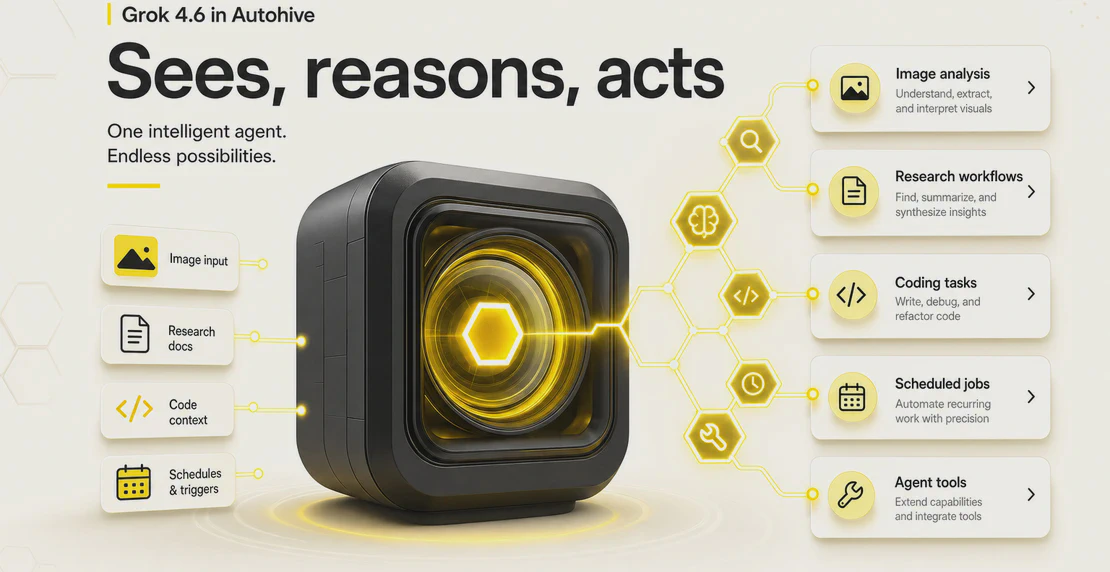
xAI shipped Grok 4.6 on August 12, 2026, and it’s now selectable inside Autohive. If you build agents that do real work, this one is worth a close look. It’s xAI’s newest reasoning model on Autohive, combining vision, tool use, reasoning, and streaming — a strong default for technical, research-heavy, and operational agents.
Here’s what it is, what it costs, and where it earns its place in your agent lineup.
Grok 4.6 is a reasoning model. It takes text and image input, returns text output, and has a knowledge cutoff of February 1, 2026. It reasons before it commits to an answer, which pays off on multi-step and agentic tasks where getting it right matters more than getting it fast.
The specs that matter for agent builders:
A 500,000-token context window means an agent can load a large contract, a full dataset, or a stack of documents in one pass instead of chunking and stitching. The 128K max output shown in Autohive covers long reports, generated code, and detailed analysis without truncation.
Pricing comes from xAI’s published rates. It splits by request size, and the cutoff is 200,000 tokens.
Standard requests, under 200K tokens:
Long-context requests, 200K tokens and above:
One thing to watch: the long-context tier applies to the whole request once it crosses 200K tokens, not just the tokens over the line. A request that tips past the threshold gets billed at the higher rate across the board. Priority processing runs at 2x the standard rate, and there’s no batch API discount. Artificial Analysis puts the cost per task at roughly $0.84.
These are xAI’s rates and they can change. Check xAI’s model docs for current pricing before you budget for it.
Grok 4.6 is a thinking model, and that shows up in the numbers. Live provider measurements on OpenRouter land around 63 to 66 tokens per second, with P50 latency near 0.94s to 1.03s. Artificial Analysis measured output speed at 57.8 tokens per second, with time to first answer token around 35.80s once reasoning is included.
Read that last figure carefully. When the model reasons, you wait longer for the first token because it’s working through the problem before it answers. That trade is fine for research, coding, and long agentic runs where quality beats raw speed. It’s a poor fit for short, high-volume reply tasks where you want a snappy answer every time. For those jobs, a lighter and cheaper model usually wins.
The strengths cluster around long, involved work:
One useful trait for agent builders: Grok 4.6 improved its self-testing and verification during long task sequences. On tasks where an agent chains dozens of tool calls, catching its own mistakes mid-run matters more than a single benchmark score.
On the Artificial Analysis Intelligence Index, Grok 4.6 scores 61, tied with GPT-5.6 Sol and behind some Claude models. That places it in the top tier without leading it.
The more interesting story is efficiency. In the AA-Briefcase benchmark, Grok 4.6 finished tasks in about 53 turns using roughly 0.5B input tokens, while Claude Opus 5 needed about 103 turns and 2.0B input tokens for comparable quality. Fewer turns and fewer tokens means lower cost for the same result.
Artificial Analysis frames the cost-to-performance angle bluntly: in their analysis, no model that scores 61 costs less. If you care about getting strong output without paying frontier prices, that’s the case for Grok 4.6.
You can read the full breakdown in the Artificial Analysis Grok 4.6 analysis and the xAI release notes.
Autohive agents do more than chat. They call integrations, run scheduled jobs, hand work between agents, and process files and images inside workflows. A model that only handles text conversation leaves a lot of that on the table.
Grok 4.6 covers the full feature set in one model. It can see an image, call an integration, reason through a hard problem, and stream the response back. That’s the whole product angle: when you need one serious model behind a technical or operational agent, you don’t have to trade away a capability to get the rest. Add the 500K context window and xAI’s competitive token pricing, and it holds up as a default choice for demanding agents.
For a broader view on where an agent belongs in the mix, check the guide on which types of work suit agents.
You select the model in the agent builder. Go to Workspace, click the + icon, and choose Create a custom agent, or open an existing agent to edit it. Under Model configuration, open Model type and name, find the xAI section, and pick Grok 4.6.
If you’re new to this, start with the first agent guide or the walkthrough on building a custom agent. From there, the workflow builder, automated jobs, and scheduling guides show how to put a reasoning model to work on recurring tasks. If you’re running several agents together, the multi-agent setup guide covers how to pass work between them, and the integrations page shows what your agent can connect to.
Grok 4.6 gives Autohive users a single model with vision, tool use, reasoning, and streaming, backed by a 500K context window and pricing that holds up well against anything at its intelligence level. Point it at research, coding, and multi-step operational agents where the work is deep and the reasoning pays for itself. Need fast, high-volume replies instead? Use something lighter. For serious agents, this is a strong pick right now.

Written by
Jono is the Marketing Operations Lead at Autohive, bridging the gap between commercial strategy and AI-powered execution. With a passion for building systems that scale, he brings structure to complexity and turns marketing activity into measurable …
Jono NourseAssign Claude Opus 5 to the agents and workflows that need deep reasoning and long context, and keep cheaper models on everything else.
Read article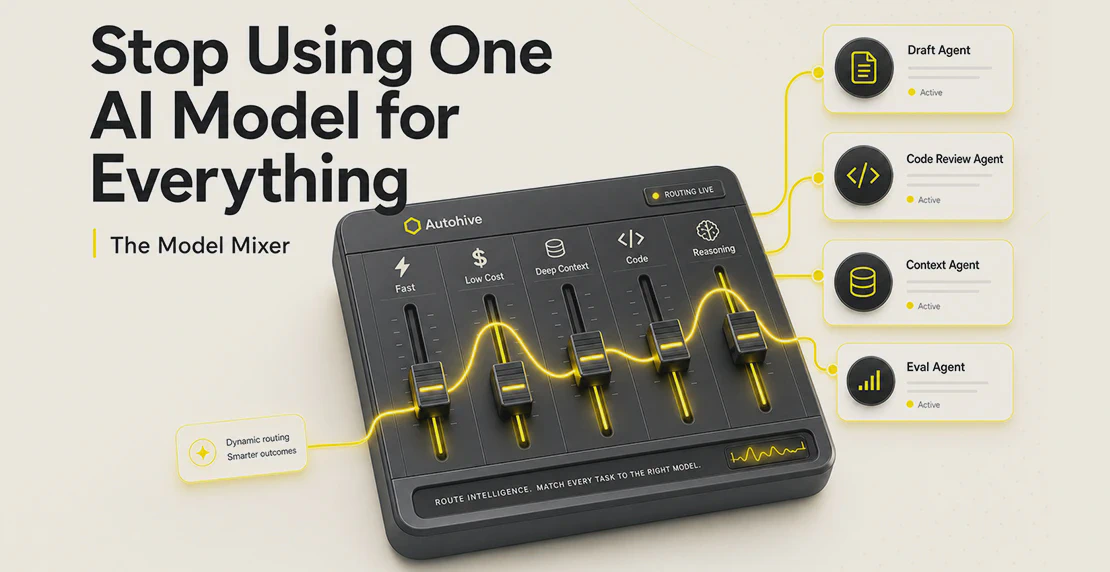 Jono Nourse
Model choice works best as an ongoing, per-task decision built into your workflow, not a single default picked once and left alone.
Read article