
Jono Nourse
- 30 Oct, 2026
What's New This Week: 23 to 30 October 2026
Auto can create and manage webhooks and check run history for troubleshooting, and queued messages persist after you close a browser tab. You can also …
Read article
Jono Nourse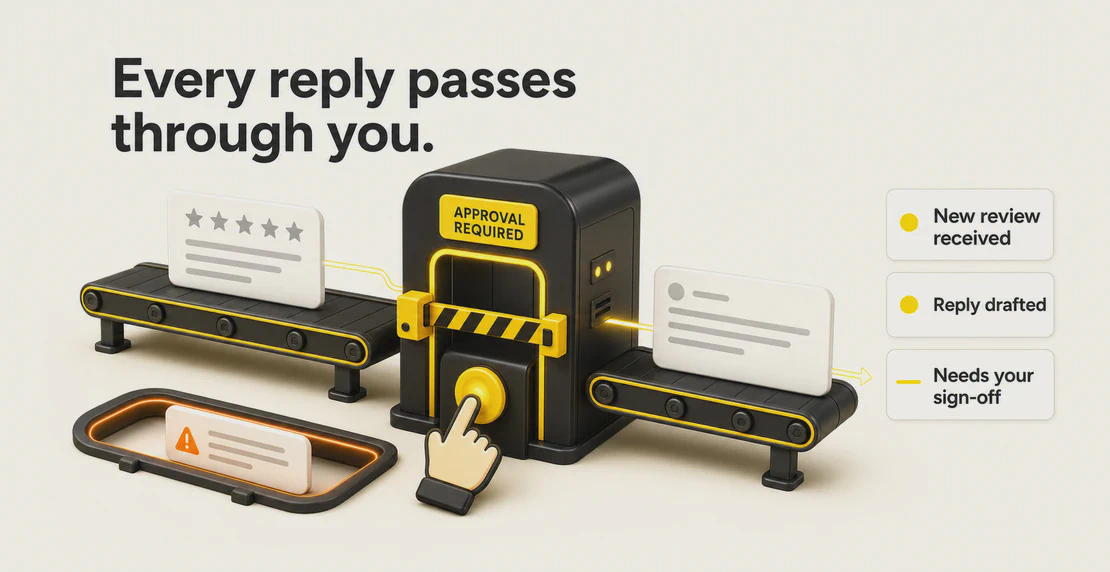
If your team spends the start of every day writing Google review replies, an AI workflow can take that off their plate. It reads new reviews, drafts replies in your tone, flags the complaints that need a careful human touch, and hands your team one decision: approve, edit, or reject. The drafting stops being a chore. What is left is a quick quality check.
That is the point. You still control what gets published. You just stop typing the same “thanks for staying with us” reply forty times a week.
Reviews shape a lot of buying decisions, and customers now expect a reply. BrightLocal’s 2026 local consumer review survey found that 89% of people expect business owners to respond to reviews, and 80% say they are more likely to use a business that responds to every review. Silence reads as indifference.
There is a business case beyond sentiment too. Harvard Business Review reported on TripAdvisor hotel data showing that hotels which started responding to reviews went on to receive 12% more reviews and lift their average rating by 0.12 stars. Google’s own Business Profile guidance also recommends replying to reviews as best practice.
No. Replying quickly is a customer-service and trust issue, not a confirmed Google ranking signal. BrightLocal found 19% of people expect a same-day reply, 32% expect one by the following day, and 81% expect a response within a week.
Someone opens Google Business Profile, works through overnight reviews, and writes a reply to each one. Five-star reviews get a warm thank-you. Three-star reviews need more thought. A one-star complaint about a cold breakfast and slow check-in needs care, maybe a heads-up to the duty manager too.
For one venue, this is a minor daily task. For a group running multiple locations, review management across sites is a real workload. Each site generates its own stream of reviews, and someone has to keep the tone consistent across all of them.
In a keynote, JD Trask described a hotel operator who said they spent about an hour every morning working through Google Business reviews, mostly typing variations of the same handful of replies.
JD demonstrated prompting Autohive’s Agent Creator to review incoming feedback, draft replies in a set tone, flag anything needing careful handling, and hold each draft for a person to approve before anything went live. In the anecdote, the operator worked through drafts quickly, approving most and rejecting a few.
Take this as a demonstration of the approach, not a verified customer result. It shows how the workflow runs: software drafts, a person decides.
You can set tone rules and escalation instructions in plain language in the agent prompt. If you want every complaint about food safety sent to a manager before any reply is drafted, you write that as an instruction.
A negative review is a moment where a poor automated reply can make things worse. The workflow does not auto-publish those cases. It can draft a starting point and mark the review for a person, so the reply that goes out has been read and shaped by someone who understands the situation.
The person reviews each draft, edits or rejects anything off the mark, and makes the call on sensitive cases. Judgement, brand voice, and the decision to publish stay with the team.
Auto-publishing replies to public reviews is a risk most operators should avoid. Tone can miss, context can be wrong, and a dismissive reply can turn a private annoyance into a public issue.
In the keynote, JD demonstrated a conversational approval flow: the agent shows drafted replies and waits for a person to approve, edit, or reject each one before it publishes anything. Nothing goes out without a human sign-off.
The repetitive drafting goes away. Your team keeps final say. Replies can stay on-brand, complaints can get proper attention, and the time once spent typing can go into reviewing and approving instead.
For a multi-location business, that can mean more consistent responses across sites and a process that scales with the portfolio. These are intended workflow benefits, not measured customer outcomes.
Practical takeaway: Keep human approval in during the pilot. It lets you test drafting quality without exposing customers to unreviewed replies.
With Autohive, Agent Creator can set up a custom agent from plain-language instructions, and its Google Business Profile integration can list reviews and publish a reply once you approve it. The conversational approval flow keeps your team in the loop before anything goes live.
Replying to reviews is worth doing, and it can eat an hour before the real day even starts. An AI workflow clears the drafting so the decision is all that is left.
Want to test a review-reply workflow in your business? Build a first version with Autohive and keep your team in control of final approval.

Written by
Jono is the Marketing Operations Lead at Autohive, bridging the gap between commercial strategy and AI-powered execution. With a passion for building systems that scale, he brings structure to complexity and turns marketing activity into measurable …
Jono NourseAuto can create and manage webhooks and check run history for troubleshooting, and queued messages persist after you close a browser tab. You can also …
Read article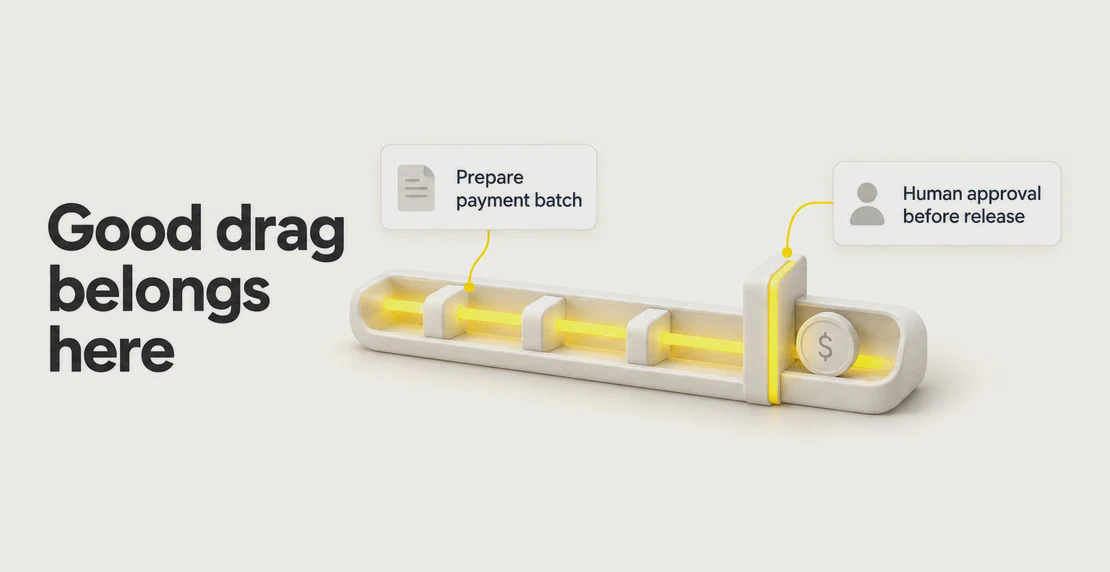 Jono Nourse
Gartner says 71% of organisations expect to deploy agentic AI within 12 months and 21% have governance in place. The post argues friction belongs at …
Read article