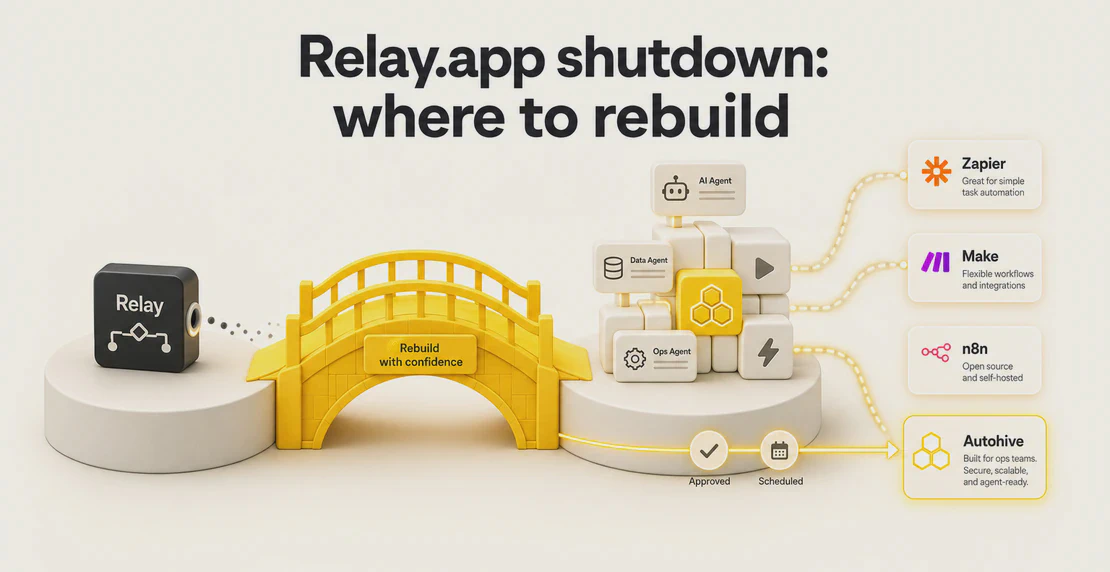
Relay.app is closing. Free accounts and their data were deleted on 15 August 2026, and paid accounts and data are scheduled for deletion on 14 September 2026, per the official Relay.app shutdown notice. If you built automations on Relay, export your data and pick a new platform before the cutoff. The short answer: Zapier suits teams that need the widest connector list, Make suits people who like a visual canvas, n8n suits technical teams who want to self-host, and Autohive suits teams that want visual workflows, plain-language agents, human approvals, and scheduled jobs that give teams a clear starting point for the rebuild, plus unlimited seats. This guide covers the deadline, your export, and how to choose.
The deadline and the decision you actually have to make
Two dates matter. Free data is already gone as of 15 August 2026. Paid data goes on 14 September 2026. After that, whatever you haven’t exported is unrecoverable.
Relay does give you a tool to export your Relay.app data before it’s gone: workflow JSON, a prompt.md description of each workflow, run-history CSV, and table-data CSV. Useful, with a few catches worth knowing before you rely on it:
- Exports can take up to 24 hours to generate, and the download link expires after 48 hours. Start early.
- Workflow screenshots are not included, so document anything visual yourself.
- Run-history CSV truncates past 100,000 rows. If you need older run data, that’s your ceiling.
- Credentials and API tokens do not carry over. Expect to reauthorize every connected app on whatever platform you choose.
That last point is the honest part nobody enjoys: no tool offers a true one-click import of Relay. You are rebuilding your workflows somewhere new. The real question is which platform makes that rebuild fastest and least painful, and which one you can trust not to put you through this again.
The vendor-stability question most migration guides skip
Relay raised more than $8 million in venture funding and still shut down. TechCrunch later reported why Relay.app is shutting down: the team was joining Google’s Chrome group. Funding did not equal continuity.
So when you evaluate a replacement, “well-funded” is not the same as “safe.” A capital raise tells you a company has runway, not that it will keep serving your use case. Look instead for a company with a real operating business behind it, documented security and data controls, and a product that isn’t a bet on a single feature. That framing changes the shortlist.
Zapier: widest connector list
Zapier connects to more apps than anyone, and its Copilot is built to help you rebuild automations when you migrate from Relay.app from a plain description. If your Relay workflows touch a long tail of niche SaaS tools, breadth is a genuine reason to choose it.
The trade-offs: Zapier’s pricing is task-based, so cost scales with volume in ways that can surprise you, and approval steps are limited compared with tools built around human review. For high-volume, many-app automations without much human-in-the-loop, Zapier is a reasonable landing spot.
Make: visual canvas for tinkerers
Make gives you a drag-and-connect canvas that a lot of Relay users will find familiar, and it’s positioned itself as a serious Relay.app alternative with dedicated migration help. If you think visually and like to see every branch of a scenario laid out, it’s comfortable.
Watch two things. It’s still a full rebuild, not a transfer. And native approval workflows sit on the Enterprise tier, so if human sign-off is core to what you do, price that in.
n8n: open-source and self-hostable
n8n is the pick for technical teams. It’s open-source and self-hostable, and that gives you control over data residency and cost at scale. The catch is right there in the description: it expects technical comfort. If your Relay workflows were built by operators rather than engineers, n8n raises the skill floor rather than lowering it.
Autohive: visual workflows, plain-language agents, and approvals without the rebuild tax
Autohive is aimed at the teams Relay served well: operators who want automation without writing code, but who need real human oversight and predictable seat costs.
A few things line up closely with what Relay users are losing:
- Visual workflow builder. You set triggers, tools, how information flows, inputs, outputs, and where results get delivered. The building blocks are there, so you recreate a Relay workflow instead of starting from nothing. Create a workflow in Autohive
- Custom agents from plain language. You describe the job in writing, give instructions, set boundaries, add examples, connect tools, files, and websites, pick a model, and refine. No prompt engineering degree required. Once an agent works the way you want, Autohive Skills let you lock in the steps and format so every run stays consistent. Build a custom agent from plain-language instructions
- Human approvals built in. Autohive supports approval requests through in-app action boxes, real-time notifications, mobile push, and approval links, with approve or reject actions. If your Relay workflows depended on someone signing off before an action fired, this maps directly. Skipping that step is usually where automation quietly loses trust, which is why approval bottlenecks quietly kill AI agent ROI is worth a read before you rebuild anything. Autohive action approvals, Mobile approvals in Autohive
- Scheduled jobs. Set a start date, frequency, assigned agent, instructions, and files. Pause, restart, edit, or remove jobs, and history is preserved when you pause and restart. When a job runs on its own, the output visualiser shows exactly what the agent did on that run, not just that it finished. Automated jobs, scheduling
- Integrations and knowledge. Slack, Microsoft Teams, Google Workspace, Microsoft 365, CRMs, project tools, Notion, finance and ecommerce tools, marketing and data tools, direct API calls, and the ability to connect services through remote MCP. You can also add documents and content as agent knowledge. Workspace visibility keeps the whole team able to see what’s connected and what’s running, instead of automations turning into one person’s project. Autohive integrations
- Unlimited seats on every plan. Autohive charges by plan-based credits rather than by seat, so adding team members does not add another seat charge. Review the current credit and storage allowances on the Autohive pricing and plan credits page.
- Documented security and audit controls. TLS, AES-256 encryption, AWS infrastructure, role-based access control, 2FA, audit logs, server-side session management, a bug bounty, and defined data-deletion processes. Autohive security and audit controls
On the stability question: Autohive is a spinoff from Raygun, an established software company, so there’s an operating business behind it rather than a single funding round. That isn’t a guarantee, no honest vendor can promise that, but it’s a different risk profile from a standalone startup.
Two honest limits. You won’t carry every historical Relay run into Autohive, and Relay’s 100,000-row export cap means some of that history may not survive the move anywhere. What Autohive does give you is its own job history and audit trail going forward. And nobody can promise a one-to-one match for every Relay connector, so check your specific integrations against Autohive’s integration catalogue before you commit.
How the options compare
| Dimension | Zapier | Make | n8n | Autohive |
|---|
| Best for | Widest app coverage | Visual tinkering | Technical, self-hosted | No-code teams needing approvals |
| Rebuild required | Yes | Yes | Yes | Yes |
| Non-technical friendly | Moderate | Moderate | Low | High |
| Native human approvals | Limited | Enterprise tier | Manual build | Built in, incl. mobile |
| Pricing model | Task-based | Tiered | Self-host / cloud | Plan-based credits, unlimited seats |
| Self-hostable | No | No | Yes | No |
Every option requires a rebuild. That’s a property of leaving Relay, not a knock on any one tool.
How to choose
Work backwards from what your Relay workflows actually did.
- If breadth is everything and you connect dozens of obscure apps, Zapier’s connector count wins.
- If you want a visual canvas and don’t need heavy approvals, Make is comfortable.
- If you have engineers and want data control, n8n and self-hosting make sense.
- If your team is non-technical, approvals matter, and you don’t want per-seat pricing, Autohive is the practical path. Visual workflows, plain-language agents, scheduled jobs, human sign-off, unlimited seats, and documented controls cover most of what Relay teams relied on.
If Autohive looks like the fit, the Autohive quickstart walks through setting up your first workflow.
Whatever you pick, export from Relay now. The 24-hour generation time and 48-hour link expiry mean waiting until early September is cutting it close.
FAQ
When is Relay.app shutting down?
Free accounts and data were deleted on 15 August 2026. Paid accounts and data are scheduled for deletion on 14 September 2026, per the official Relay.app shutdown timeline.
What happens to my Relay.app data if I don’t export it?
It’s deleted permanently after the dates above. Use Relay’s export tool to pull workflow JSON, prompt.md descriptions, run-history CSV, and table-data CSV. Start early: exports take up to 24 hours and download links expire after 48 hours.
Do I have to rebuild my Relay workflows from scratch?
On every platform, yes, to some degree. Credentials and API tokens don’t transfer, so connected apps need reauthorizing wherever you go. Autohive gives you the building blocks (visual workflows, agents, triggers, approvals) so you recreate rather than start from an empty page.
What’s the best Relay.app alternative with approval workflows?
If human sign-off is central, Autohive supports approval requests through in-app action boxes, notifications, mobile push, and approval links, with approve or reject actions. On Make, native approvals are Enterprise-only; on Zapier they’re limited.
Relay.app vs Zapier vs Autohive: which should I choose?
Zapier for maximum app coverage and high-volume automation. Autohive for non-technical teams that need approvals, scheduled jobs, unlimited seats, and plan-based credits. Both require a rebuild; neither imports Relay directly.

Jono Nourse