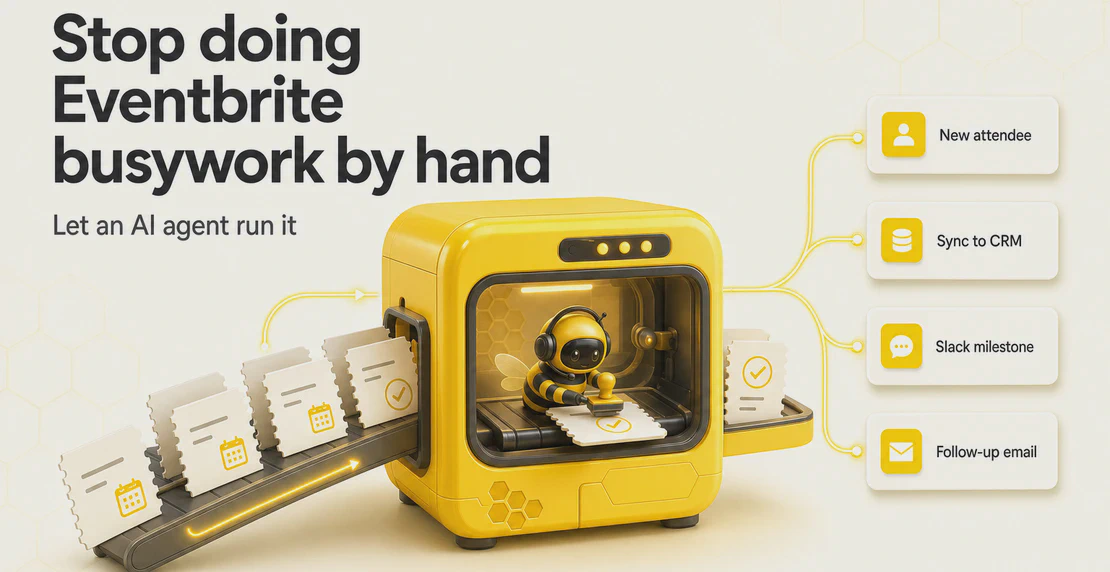
Most Eventbrite work is repetitive. Someone registers, you export the list, paste it into a CRM, update a spreadsheet, send a welcome email, post a note in Slack, and set a reminder to follow up after the event. Multiply that across a portfolio of events and it becomes a part-time job nobody asked for.
Eventbrite autopilot integrations fix that by handing the busywork to an AI agent. Instead of wiring up a fixed rule for every single task, you connect Eventbrite to Autohive and let an agent manage the event lifecycle for you: creating events, moving attendee data where it needs to go, adjusting ticket prices, cloning your recurring series, and chasing follow-ups after everyone goes home.
This guide covers what you can actually do, how it works, and where it differs from the older trigger-action tools you might already know.
How do I automate Eventbrite?
There are two broad ways to automate Eventbrite, and the difference matters.
The first is trigger-action automation. You pick one trigger (“new attendee registers”) and one action (“add row to Google Sheet”). It runs the same way every time. Tools like Zapier and Albato work this way, and they’re fine for simple one-to-one syncs.
The second is agent-based automation, which is what Autohive does. You connect the Eventbrite integration, then tell an AI agent what you want in plain language. The agent has direct access to your Eventbrite account and can take real actions inside it: create and publish events, pull attendee and order data, change ticket classes, clone events, and cancel or delete them. It can reason through a multi-step task instead of firing one fixed response to one fixed trigger.
A practical example. With a trigger tool you’d build separate zaps for “sync attendee to CRM,” “post to Slack at 100 registrations,” and “email everyone the day after.” With an agent, you describe the whole thing once, and it handles each part, decides when to act, and runs the steps in order.
If you’re new to this, the creating your first agent guide walks through setup, and the Eventbrite setup docs cover the connection itself.
Can I manage Eventbrite with an AI agent?
Yes, and this is the core of what the integration does. The agent connects straight to your Eventbrite account and works across the full lifecycle rather than a single sync point.
What it can do:
Event lifecycle
- Create, update, publish, and unpublish events
- Copy or clone existing events
- Cancel and delete events
- Retrieve full event descriptions
Attendees and orders
- Pull attendee data for a single event or across an entire organization
- Pull order data per event or portfolio-wide
Venues
- Create venues and manage venue details
Ticket classes
- Define ticket classes
- Update pricing, availability, and descriptions
- Delete ticket classes
Account and organization
- Manage multiple organizations
- Retrieve the current user’s information
- Retrieve event categories
Because the agent can read data and act on it, you can give it goals rather than instructions. “Clone last month’s workshop for the third Thursday of every month and open early-bird pricing for the first 50 seats” is a single request, not a flowchart you have to build by hand.
How do I connect Eventbrite to my workflows?
Setup is no-code and runs through Autohive. The short version:
- Add the Eventbrite integration and authorize your account.
- Connect the other integrations you want in the loop, like HubSpot, Google Sheets, Slack, Gmail, Google Calendar, Zoom, or Mailchimp.
- Build an agent or workflow that describes what you want to happen.
You can run it on demand, on a schedule, or whenever the agent spots a condition worth acting on (a ticket class selling out, say). The workflow guide covers how to structure multi-step jobs, the jobs guide covers setting up recurring scheduled tasks, and the full integrations list shows everything else you can plug in.
How do I connect Eventbrite to my CRM?
Attendee data is only useful if it reaches the systems where you actually work. The classic pain is exporting a CSV from Eventbrite and importing it into your CRM by hand, often days late.
With Autohive, the agent pulls attendee and order data and pushes it into your CRM automatically. Common setups:
- HubSpot: sync registrants as contacts, tag them by event, and log the registration. HubSpot also has a native Eventbrite integration, but an agent lets you shape the data and combine it with other steps.
- Salesforce: create or update leads and contacts from attendee lists. Salesforce also offers an Eventbrite app on AppExchange for the basic sync.
- Zoho CRM: Zoho recently shipped its own Eventbrite extension, and an agent can feed it the same attendee data on your terms.
The advantage of the agent approach is that it doesn’t stop at the CRM. The same run can update a spreadsheet, ping your team, and queue a follow-up, all from one instruction.
How do I sync Eventbrite attendees to HubSpot?
For HubSpot specifically, you tell the agent which event and where the data should land. It reads the attendee list, maps names, emails, ticket types, and order details, and creates or updates contacts in HubSpot.
You can layer conditions on top. Only sync paid attendees. Tag VIP ticket holders differently. Add anyone from a partner company to a specific list. Because the agent reasons about the data, these rules live in plain language instead of a tangle of filters. See the HubSpot integration docs for field mapping details.
Can Eventbrite trigger follow-up tasks automatically?
This is where autopilot earns its name. Follow-up is the step teams skip most often because it lands after the event, when everyone’s moved on to the next thing.
An agent can handle the whole tail end:
- Post-event emails: send thank-you notes, feedback surveys, or replay links through Gmail or add attendees to a Mailchimp campaign.
- Slack alerts: post to a channel when registration hits a milestone, when an event sells out, or when the day’s numbers are in. Slack integration docs here, and Workato has a good writeup on Eventbrite-Slack automation if you want the trigger-based version.
- Reporting: drop attendance and order data into Google Sheets or Airtable for analysis and capacity planning.
- Calendar and video: create Google Calendar entries or spin up Zoom meetings from event details.
You set the follow-up once. The agent runs it every time, for every event, without you remembering to.
How do I clone a recurring Eventbrite event automatically?
If you run a weekly meetup, a monthly webinar, or a training series, cloning saves the most time. Rebuilding the same event by hand, with the same ticket tiers and description, is pure waste.
The agent copies a successful event, updates the date and venue, and republishes it. For a recurring series, you can run this on a schedule so next month’s event exists before you’ve thought about it. It carries over ticket classes and descriptions, and you can adjust anything that changes between runs.
Can I automate Eventbrite ticket pricing?
Yes. The agent can define ticket classes and update pricing, availability, and descriptions on its own.
Real uses:
- Early-bird tiers: open a discounted price for the first batch of seats, then close it automatically once they’re gone or a date passes.
- Flash sales: drop prices for a set window and restore them after.
- Capacity changes: release more tickets when demand runs high, or cap a class when a room fills up.
- Last-minute edits: fix a wrong price or description across events without opening each one.
Because the agent can read order data first, pricing changes can respond to what’s actually selling rather than a guess made weeks earlier.
What apps does Eventbrite integrate with through Autohive?
Eventbrite connects to the rest of your stack through Autohive’s integrations. The ones people reach for most with events:
- CRMs: HubSpot, Salesforce, Zoho
- Spreadsheets and databases: Google Sheets, Airtable
- Email and marketing: Gmail, Mailchimp
- Team comms: Slack
- Calendar and video: Google Calendar, Zoom
The integrations page has the current full list. Since the agent can chain these together, a single event registration can flow into your CRM, your reporting sheet, your team channel, and a follow-up email in one run.
What’s the difference between Zapier and an AI agent for Eventbrite?
Both automate Eventbrite, but they solve different problems.
Trigger-action tools like Zapier are rule engines. One trigger, one path, run repeatedly. They’re reliable for simple, predictable syncs, and Zapier’s own guide to automating Eventbrite is a decent starting point if that’s all you need. The limit shows up when a task has several steps, needs a decision, or changes based on the data.
An AI agent works more like someone on your team who already knows Eventbrite inside out. You describe the outcome, and it works out the steps. It can pull data, judge what to do with it, act inside Eventbrite, and coordinate across your other integrations, all from one plain-language brief. No trigger required, and it can work proactively or on a schedule rather than only reacting to a webhook.
Rough rule of thumb: if your automation is “when X, do Y,” a trigger tool is enough. If it’s “manage this for me,” you want an agent.
Who gets the most out of this?
Eventbrite runs everything from concerts and conferences to workshops, fundraisers, webinars, and community meetups. The event ticketing market keeps growing, and the online ticketing sector shows no sign of slowing. Autopilot integrations tend to pay off most for:
- Event agencies juggling many clients and organizations at once
- Corporate event planners running conferences and internal programs
- Community and non-profit teams with lean staff and recurring events
- SaaS and software companies running webinars and product launches
- Venues and entertainment businesses managing a steady calendar
The multi-organization support matters here. An agency or larger team can operate across a whole portfolio of accounts, not just one.
Getting started
Connect the Eventbrite integration, link the other integrations you use, and describe what you want an agent to handle. Start with the job that eats the most of your time, whether that’s CRM syncing, cloning a series, or post-event follow-up, and add from there.
The setup docs, the first agent guide, and the Agent Creator guide will get you running. From there, your events can mostly run themselves.

Jono Nourse